Welcome to the WebGoat - Session Fixation lab! This lab is designed to teach you how Session Fixation attacks work and how they can be performed.
This lab utilizes an intentionally vulnerable web application called WebGoat.
Webgoat is a deliberately vulnerable web application maintained by OWASP. It is licensed under GPLv2.
Session fixation is a type of vulnerability where an attacker sets or steals a session ID from a user before they log in, allowing the attacker to hijack the authenticated session.
After staring the lab, you will be provided with a URL to the target web application. This lab does not provide you with access to a Kali Linux system, as a result, you will need to perform the attacks on your own Kali Linux system or your host operating system.
In order to complete the Session Fixation challenge, you will require the following tools: - Burp Suite/OWASP ZAP
This lab can take over 2 minutes to load after opening the URL
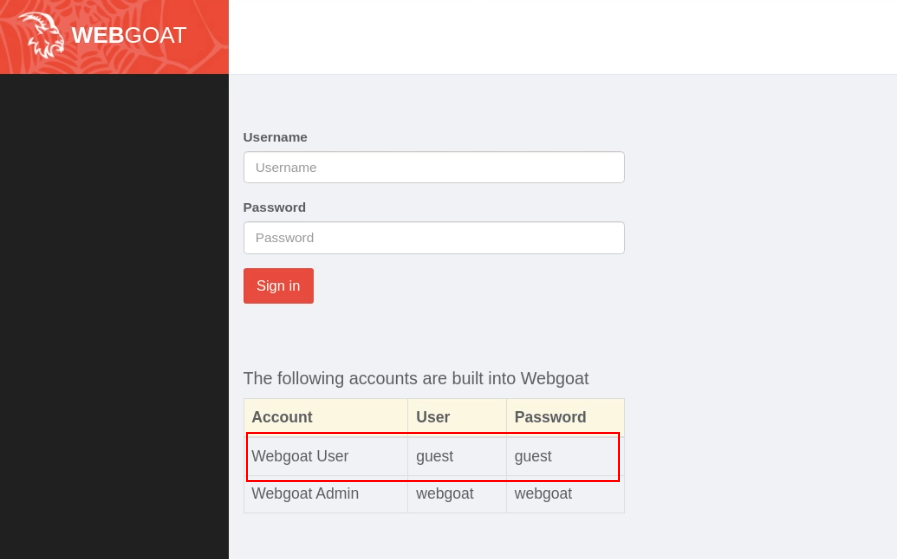
Open the WebGoat URL and login as the "Webgoat User" user account. The credentials of the "Webgoat User" account are listed on the login form,
After logging in, navigate to the Session Fixation lesson in WebGoat and read the introductory material to understand the context of the vulnerability.
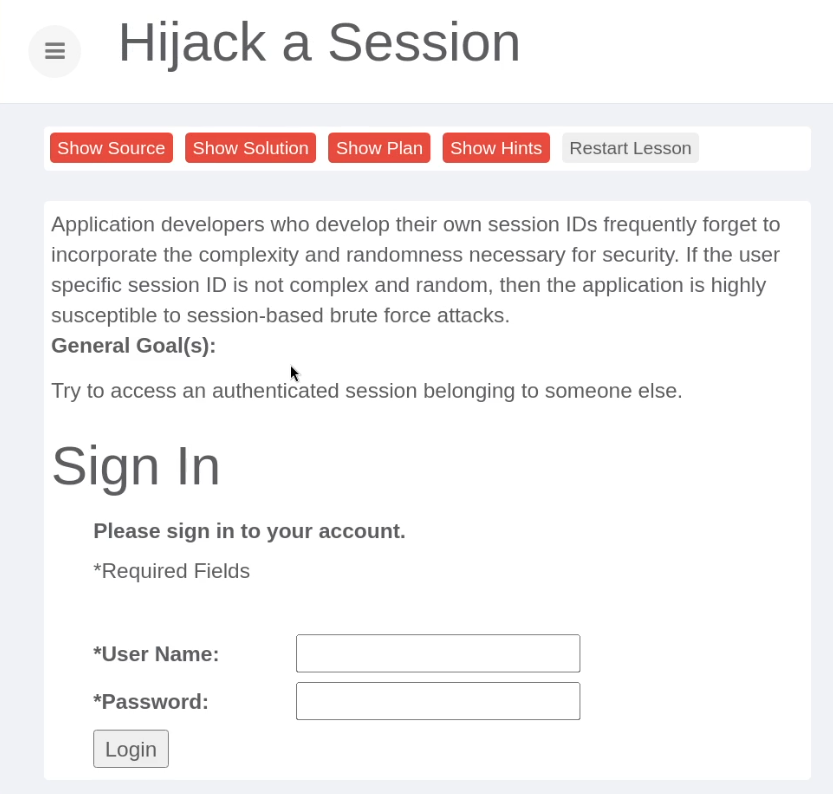
The goal is typically to exploit a session fixation vulnerability by:
Once ready, click on the "Start Challenge" button.
Stage 1 of the challenge involves preparing a phishing email that contains a specially crafted URL that contains a pre-defined Session ID.
For the purpose of this lab challenge, you can use a random SID.
As shown in the following screenshot, you will also need to modify the URL to ensure that it aligns with the URL of the lab environment as opppsed to the default preset.
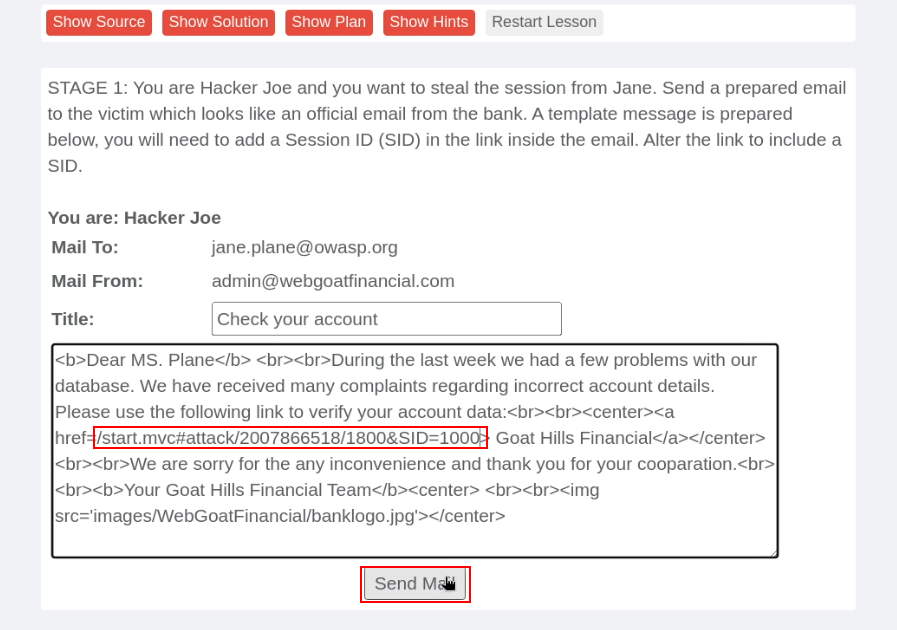
The URL should look like this:
/start.mvc#attack/2007866518/1800&SID=1000
Once done, click on the "Send Mail" button to proceed to the next stage, where you will be emulating the victim.
Stage 2 of the challenge allows you to emulate the victim/recipient of the email crafted in the previous task. In this case the victim is "Jane".
This stage of the challenge illustrates what the email looks like from the target's perspective. Given that we are emulating the target's actions, we will need to click on the hyperlink in the email (this link points to the URL we crafted in the previous task).
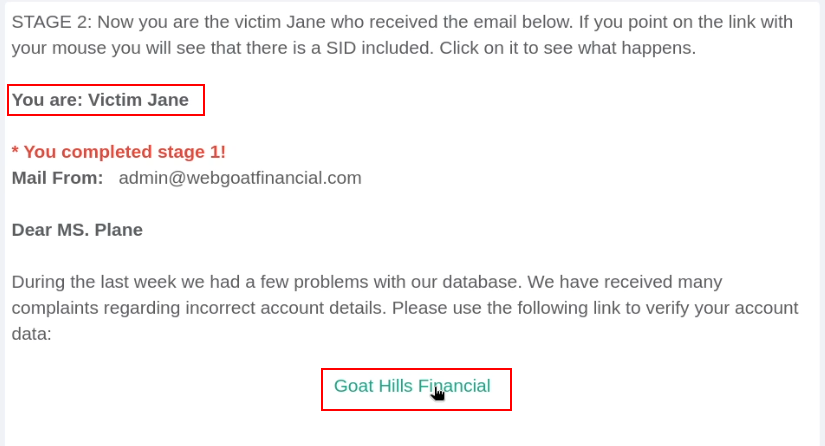
Clicking on the link takes you to Stage 3 of the challenge, where you will need to login as the target "Jane". The credentials for the user account "Jane" are displayed on the login form.
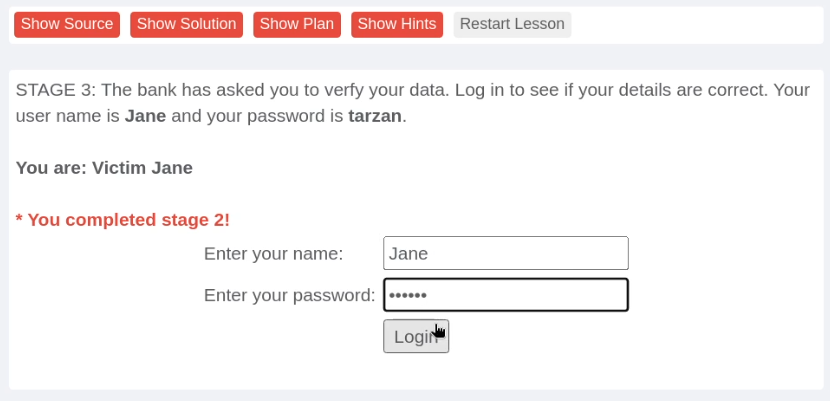
Once logged in as Jane, the challenge will proceed to Stage 4, where you will be required to steal Jane's authenticated session.
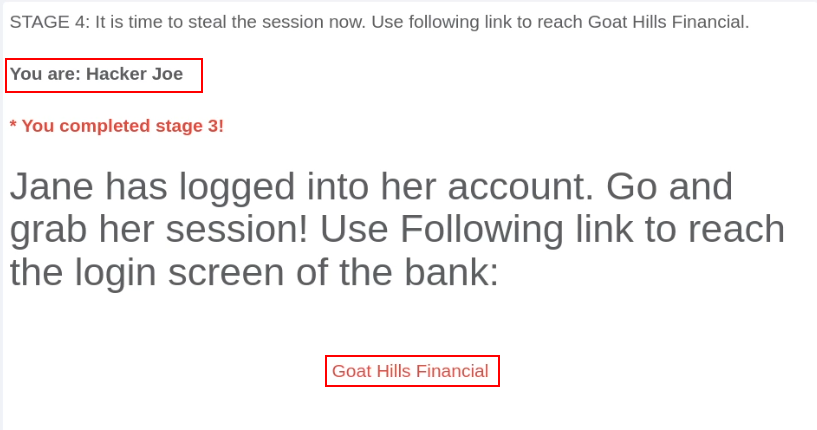
As shown in the preceeding screenshot, Stage 4 informs us that Jane has logged into her account, and as a result, the session ID we specified in the phishing email has now been authenticated and is associated with Jane's session. This means we can steal Jane's authenticated session by using the Session ID we sent in the phishing email.
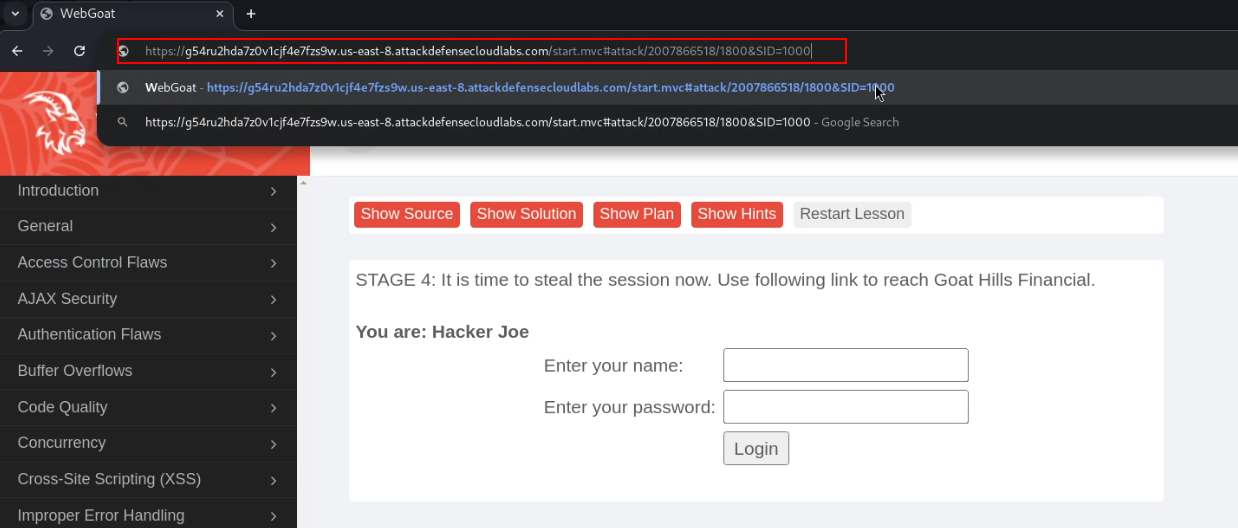
Clicking on the link in Stage 4 will direct you to a login page where you will need to modify the "SID" URL parameter to the Session ID you specified in the phishing email sent to Jane.
As shown in the following screenshot, modifying the "SID" parameter allows us to steal Jane's authenticated session.
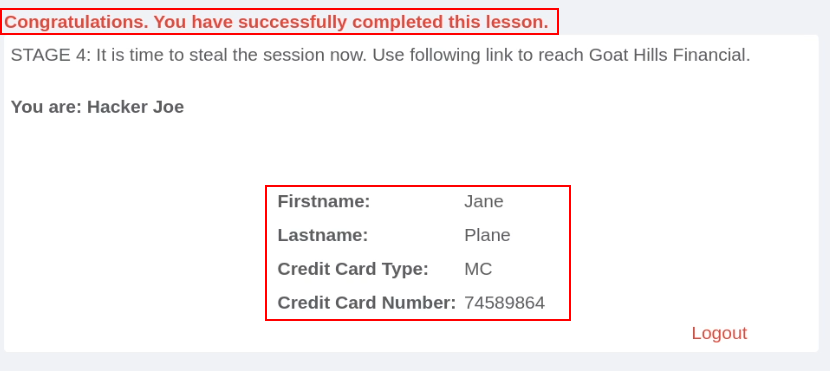
We have succesfully stolen Jane's authenticated session through Session Fixation.